CSS tab-size Property
How to use the tab-size CSS property to specify the width between the character in the tab. Read about the property values and see examples.
The CSS tab-size property controls how wide a tab character (U+0009) is rendered. By default a browser draws each tab as 8 spaces, which is often far wider than you want for code listings. tab-size lets you set that width to any number of space-widths, or to an exact CSS length.
This page covers what the property does, where it actually takes effect, the difference between the <number> and <length> values, browser support, and a runnable example.
When does tab-size matter?
A tab only changes the visible layout when the surrounding whitespace is preserved. In normal HTML, browsers collapse tabs, spaces, and newlines into a single space, so tab-size has nothing to act on. It becomes meaningful when whitespace is kept, which happens in two common situations:
- Inside
<pre>and<textarea>, which preserve whitespace by default. - On any element where you set
white-spacetopre,pre-wrap, orpre-line.
This is why tab-size is the property to reach for when you display source code, ASCII tables, or anything where columns must line up. The property is one of the CSS3 properties and is inherited, so setting it on a container applies to nested preformatted text too.
Negative values are invalid and the declaration is ignored. The value must be a non-negative <number> or a non-negative <length>.
| Initial Value | 8 |
|---|---|
| Applies to | All elements, but only affects block containers and elements with preserved whitespace. |
| Inherited | Yes. |
| Animatable | No. |
| Version | CSS3 |
| DOM Syntax | object.style.tabSize = "20"; |
Syntax
tab-size: <number> | <length> | initial | inherit;<number>— the number of space-widths a tab occupies (e.g.tab-size: 4). This is the most common form. It is relative to the font, so the tab stays proportional as the font size changes.<length>— an explicit width such astab-size: 2emortab-size: 20px. Useful when you need a fixed, font-independent tab stop.
A tab character does not always add a full tab-size worth of space. Like a real tab stop, it advances the text to the next tab boundary, so the gap depends on how many characters already precede the tab on that line.
Example of the tab-size property
CSS tab-size code example
<!DOCTYPE html>
<html>
  <head>
    <title>Title of the document</title>
    <style>
      .tab1 {
        tab-size: 5;
      }
      .tab2 {
        tab-size: 20;
      }
    </style>
  </head>
  <body>
    <h2>Tab-size property example</h2>
    <pre class="tab1">
        Lorem	ipsum	is	a...
    </pre>
    <pre class="tab2">
        Lorem	ipsum	is	a...
    </pre>
  </body>
</html>Result
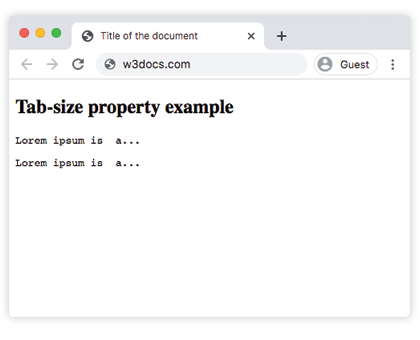
In the given example, the tab-size of the first element is 5, the one of the second element is 20.
Using a length value
Instead of a count of spaces, you can give a fixed width. Here every tab advances to a 2em boundary regardless of the font's space width:
<!DOCTYPE html>
<html>
  <head>
    <title>Title of the document</title>
    <style>
      pre {
        tab-size: 2em;
      }
    </style>
  </head>
  <body>
    <pre>Name	Role
Ann	Designer
Bob	Developer</pre>
  </body>
</html>Because each row uses one tab after the name, the second column lines up at the same 2em tab stop.
Browser support
tab-size is supported by all modern browsers. The <number> form has the widest support; the <length> form is supported in current versions of Chrome, Edge, Firefox, and Safari. Older browsers may need the -moz-tab-size and -o-tab-size prefixes, but these are no longer required for up-to-date browsers.
Values
| Value | Description | Play it |
|---|---|---|
| number | Sets the number of space characters in a tab. Negative values are invalid. The default value is 8. | Play it » |
| length | Sets the width of the tab. Negative values are invalid. This value is widely supported by modern browsers. | |
| initial | Makes the property use its default value. | |
| inherit | Inherits the property from its parent element. |