CSS fill Property
The fill CSS property is used to fill a color of a SVG page. This property is deprecated. See examples.
The fill CSS property is used to set the interior color of an SVG shape. It accepts color values, none, currentColor, and url() references.
You can find web colors with our Color Picker tool and in the HTML colors section.
| Initial Value | currentColor |
|---|---|
| Applies to | All SVG shapes, text, and textPath elements. |
| Inherited | Yes. |
| Animatable | Yes. |
| Version | SVG 1.1 |
| DOM Syntax | object.style.fill = "#8ebf42"; |
Syntax
Syntax of CSS fill Property
fill: color | none | currentColor | url(<id>) | initial | inherit;Example of the fill property:
<!DOCTYPE html>
<html>
  <head>
    <title>Title of the document</title>
    <style>
      circle {
        fill: #1c87c9;
      }
    </style>
  </head>
  <body>
    <svg viewBox="0 0 100 100">
      <circle cx="50" cy="50" r="50" />
    </svg>
  </body>
</html>Result
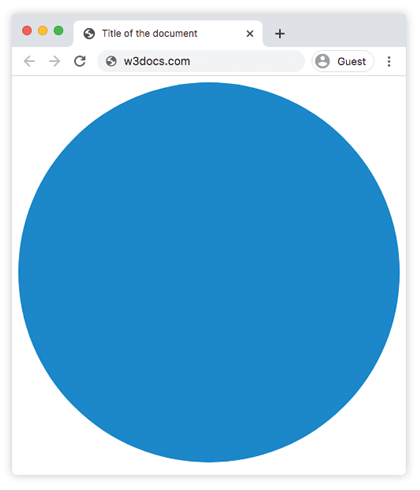
Example of the fill property with the "color" value:
<!DOCTYPE html>
<html>
  <head>
    <title>Title of the document</title>
    <style>
      .fill-1 {
        fill: red;
      }
      .fill-2 {
        fill: #228B22;
      }
      .fill-3 {
        fill: rgb(255, 165, 0);
      }
      .fill-4 {
        fill: hsl(248, 53%, 58%)
      }
    </style>
  </head>
  <body>
    <h3>CSS | fill</h3>
    <div class="container">
      <svg viewBox="0 0 800 800">
        <circle class="fill-1" cx="150" cy="150" r="50" />
        <circle class="fill-2" cx="300" cy="150" r="50" />
        <circle class="fill-3" cx="450" cy="150" r="50" />
        <circle class="fill-4" cx="600" cy="150" r="50" />
      </svg>
    </div>
  </body>
</html>Example of the fill property with the "currentColor" value:
<!DOCTYPE html>
<html>
  <head>
    <title>Title of the document</title>
    <style>
      .text-container {
        color: #1c87c9;
      }
      .fill-current {
        fill: currentColor;
      }
    </style>
  </head>
  <body>
    <div class="text-container">
      <svg viewBox="0 0 100 100">
        <circle class="fill-current" cx="50" cy="50" r="50" />
      </svg>
    </div>
  </body>
</html>Example of the fill property with patterns:
<!DOCTYPE html>
<html>
  <head>
    <title>Title of the document</title>
    <style>
      .fill-pattern-1 {
        fill: url(#pattern-one);
      }
      .fill-pattern-2 {
        fill: url(#pattern-two);
      }
    </style>
  </head>
  <body>
    <h3>Fill</h3>
    <div class="container">
      <svg viewBox="0 0 800 800">
        <defs>
          <pattern id="pattern-one" viewBox="0 0 11 11" width="15%" height="15%" patternUnits="objectBoundingBox">
            <circle r="10" fill="green" />
          </pattern>
          <pattern id="pattern-two" viewBox="0 0 9 9" width="15%" height="15%" patternUnits="objectBoundingBox">
            <rect height="4" width="4" fill="red" />
          </pattern>
        </defs>
        <circle class="fill-pattern-1" cx="150" cy="150" r="55" />
        <circle class="fill-pattern-2" cx="300" cy="150" r="55" />
      </svg>
    </div>
  </body>
</html>SVG and the fill property
The fill property makes SVG more flexible than standard image files. For example, standard image files like JPG, GIF, or PNG require separate versions for different color schemes. With SVG, we can change the icon colors using this property without needing extra files. You can do this using the code below:
Values of CSS fill Property
.icon {
  fill: pink;
}

.icon-secondary {
  fill: yellow;
}Values
| Value | Description |
|---|---|
| color | Indicates the color of the shape. Defaults to the element's computed color value. Color names, hexadecimal codes, rgb(), rgba(), hsl(), and hsla() can be used. It also accepts url() references to patterns or gradients defined in the <defs> section. |
| none | Makes the shape transparent. |
| currentColor | Sets the fill color to the current text color of the element. |
| initial | Makes the property use its default value. |
| inherit | Inherits the property from its parent element. |
Practice
Practice
What properties does the 'fill' property in CSS affect in svg elements?
Was this page helpful?