CSS border-color Property
The CSS border-color is a shorthand property which applies color to the four sides of an element. See property values and try examples.
The CSS border-color property sets the color of an element's border. It is a shorthand that lets you set the color of all four sides at once, or give each side its own color. It corresponds to the four longhand properties:
This page covers the syntax, the one-to-four value forms, the color formats you can pass, and the gotchas that make a border color silently invisible.
When the color shows up
border-color only paints a border if there is actually a border to paint. The color is used together with the border-style and border-width properties. The border stays invisible if:
border-styleisnoneorhidden(the default isnone), orborder-widthis0.
In other words, setting border-color on its own does nothing — you always need a style. Most people set all three at once with the border shorthand instead.
This property accepts any CSS color value. The default is currentColor, which means the border inherits the element's color value unless you override it.
The one-to-four value forms
border-color follows the standard CSS edge-shorthand pattern, so the number of values you pass decides which sides they map to:
| Values | top | right | bottom | left |
|---|---|---|---|---|
red | red | red | red | red |
red green | red | green | red | green |
red green blue | red | green | blue | green |
red green blue gold | red | green | blue | gold |
A handy way to remember the four-value order is "clockwise from the top": top, right, bottom, left.
Property summary
| Initial Value | currentColor |
|---|---|
| Applies to | All elements. It also applies to ::first-letter. |
| Inherited | No. |
| Animatable | Yes. The borders of the box are animatable. |
| Version | CSS1 |
| DOM Syntax | object.style.borderColor = "red"; |
Syntax
Syntax of CSS border-color Property
border-color: color | transparent | initial | inherit;Examples
A single color for all sides
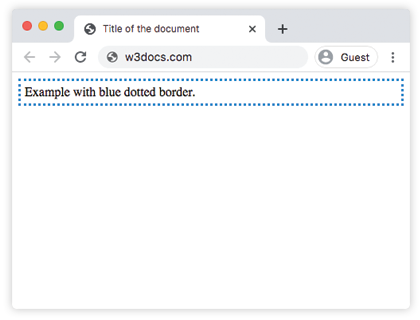
When you pass one value, it sets the color of all four sides of the element.
<!DOCTYPE html>
<html>
  <head>
    <title>Title of the document</title>
    <style>
      .dotted {
        border-style: dotted;
        border-color: #1c87c9;
        padding: 5px;
      }
    </style>
  </head>
  <body>
    <div class="dotted">Example with blue dotted border.</div>
  </body>
</html>Result
A different color per side
Here four values are applied: the first to the top border, the second to the right, the third to the bottom, and the fourth to the left.
<!DOCTYPE html>
<html>
  <head>
    <title>Title of the document</title>
    <style>
      .solid {
        border-style: solid;
        border-color: #1c87c9 cyan yellow #8ebf42;
        padding: 5px;
      }
    </style>
  </head>
  <body>
    <div class="solid">Example with border-color property.</div>
  </body>
</html>Using different color formats
You can set a hexadecimal, RGB, RGBA, HSL, HSLA, or named color as the value of border-color. The example below uses one of each.
<!DOCTYPE html>
<html>
  <head>
    <style>
      p {
        border: 5px solid #666;
        width: 60%;
        padding: 5px;
      }
      .name {
        border-color: lightblue;
      }
      .hex {
        border-color: #1c87c9;
      }
      .rgb {
        border-color: rgba(0, 0, 0, 0.15);
      }
      .hsl {
        border-color: hsl(89, 43%, 51%);
      }
    </style>
  </head>
  <body>
    <p class="name">Border with a named color.</p>
    <p class="hex">Border with a hexadecimal value.</p>
    <p class="rgb">Border with a RGB color value.</p>
    <p class="hsl">Border with a HSL color value.</p>
  </body>
</html>Learn more about the color formats CSS supports in HTML Colors.
Values
| Value | Description | Play it |
|---|---|---|
| color | Sets a color for the borders. Default color is the current color of the element. Color names, hexadecimal color codes, rgb(), rgba(), hsl(), hsla() can be used. Optional. Defaults to currentColor. | Play it » |
| transparent | Makes the border color transparent. | Play it » |
| initial | Sets the property to its default value. | Play it » |
| inherit | Inherits the property from its parent element. |