CSS text-decoration-color Property
Use the text-decoration-color CSS property to specify the color of the text decoration. See property values and try examples.
The CSS text-decoration-color property sets the color of the lines that decorate text — underlines, overlines, and strike-through (line-through) lines. By default a decoration line takes the same color as the text itself, so this property is what you reach for when you want the line to stand out in a different color from the words.
This page covers the syntax, the values you can pass, how the property interacts with the text-decoration shorthand, and runnable examples.
Why a separate color property?
Without text-decoration-color, an underline is always the same color as the text. That is fine most of the time, but designers often want a subtler or more vivid line — a grey underline under black text, a red strike-through over a quoted price, or a colored underline that signals a link state. Splitting the color out into its own longhand makes those effects possible while keeping the text color intact.
It is one of three longhand properties that make up the text-decoration shorthand, alongside text-decoration-line (which line: underline, overline, line-through) and text-decoration-style (solid, wavy, dotted, dashed, double). On its own, text-decoration-color has no visible effect unless a decoration line is also present.
The property is one of the CSS3 properties. Any valid CSS color works — see the full list in HTML colors.
| Initial Value | currentColor |
|---|---|
| Applies to | All elements. It also applies to ::first-letter and ::first-line. |
| Inherited | No. |
| Animatable | Yes. The color is animatable. |
| Version | CSS Text Decoration Module Level 3 |
| DOM Syntax | object.style.textDecorationColor = "#ccc"; |
Syntax
CSS text-decoration-color syntax
text-decoration-color: color | initial | inherit;Where color is any CSS color value. The default is currentColor, which means the decoration line matches the element's text color.
Note: Using the text-decoration shorthand resets text-decoration-color to its initial value (currentColor) unless you include a color in the shorthand. So if you set the color separately, declare it after any text-decoration shorthand, or include the color inside the shorthand itself.
Example of the text-decoration-color property:
CSS text-decoration-color code example
<!DOCTYPE html>
<html>
  <head>
    <title>Title of the text</title>
    <style>
      p {
        text-decoration: overline underline;
        text-decoration-color: #8ebf42;
      }
    </style>
  </head>
  <body>
    <h2>Text-decoration-color property example</h2>
    <p>Lorem ipsum is simply dummy text...</p>
  </body>
</html>Result
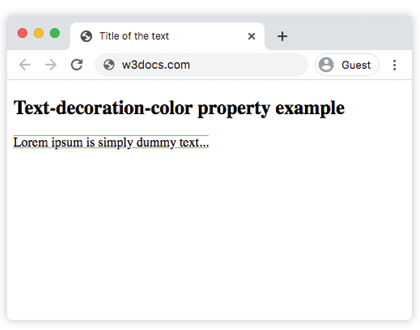
Example of the text-decoration-color property with the "underline" and "line-through" values:
CSS text-decoration-color all values example
<!DOCTYPE html>
<html>
  <head>
    <title>Title of the document</title>
    <style>
      p {
        text-decoration-line: underline;
        text-decoration-color: #666666;
        text-decoration-style: wavy;
      }
      s {
        text-decoration-line: line-through;
        text-decoration-color: #c91010;
      }
    </style>
  </head>
  <body>
    <h2>Text-decoration-color property example</h2>
    <p>Lorem ipsum is <s>simply dummy</s> text...</p>
  </body>
</html>Using currentColor
The initial value currentColor keeps the decoration line in sync with the text color. This is handy when the text color changes on :hover or in different themes — the underline follows automatically without a second rule:
a {
  color: #8ebf42;
  text-decoration-line: underline;
  text-decoration-color: currentColor; /* line matches the link color */
}

a:hover {
  color: #c91010; /* both text and underline turn red */
}Things to watch out for
- No line, no color.
text-decoration-coloronly shows when a decoration line exists. Pair it withtext-decoration-line(or thetext-decorationshorthand) — otherwise nothing appears. - Shorthand order matters. A later
text-decorationshorthand will reset the color back tocurrentColor. Set the color last, or write the color inside the shorthand:text-decoration: underline #8ebf42;. - It is not inherited. Each element computes its own value, but because the default is
currentColor, a child still tends to match its own inherited text color. - It is animatable. Because color transitions are smooth, you can animate the underline color on hover with a
transition.
For control over how thick the line is, see text-decoration-style and the full text-decoration shorthand.
Values
| Value | Description | Play it |
|---|---|---|
| color | Defines the text decoration color. Color names, hexadecimal color codes, rgb(), rgba(), hsl(), hsla(), and currentColor can be used. | Play it » |
| initial | Sets the property to its default value. | Play it » |
| inherit | Inherits the property from its parent element. |