CSS stroke Property
How to use the stroke CSS property to paint the outline of the element. Read about the property and see the values with examples.
The CSS stroke property paints the outline (the line) of an SVG shape or piece of text. Where fill colors the interior of a shape, stroke colors its edge — together they control how every SVG path, circle, rectangle, and text element is drawn.
This page covers what stroke does, the values it accepts, how it interacts with related stroke properties (width, dash pattern, line caps), and the common gotchas that trip people up.
When would I use it?
stroke only affects SVG content — it does nothing on ordinary HTML elements like a <div> or a <p>. Reach for it when you are:
- Drawing icons, charts, or diagrams inline with
<svg>. - Animating a line that "draws itself" (combine
strokewithstroke-dasharrayandstroke-dashoffset). - Outlining SVG text without filling it.
You can find named web colors in the HTML colors section.
CSS property vs. presentation attribute
stroke is unusual: you can set it either as a CSS property or as an SVG presentation attribute written directly on the element. These two lines produce the same result:
<!-- presentation attribute -->
<path stroke="#1c87c9" d="M5 20 l215 0" />

<!-- CSS, via a style block or stylesheet -->
<path style="stroke: #1c87c9;" d="M5 20 l215 0" />When both are present, CSS wins: an inline style (or any stylesheet rule) overrides the presentation attribute. This lets you set a default color in the markup and override it from CSS — for example, on hover.
The stroke property can be used both as a CSS property and as a presentation attribute. It can be applied to any element but can have an effect only on the following elements: <altGlyph>, <circle>, <ellipse>, <line>, <path>, <polygon>, <polyline>, <rect>, <text>, <textPath>, <tref>, and <tspan>.
| Initial Value | none |
|---|---|
| Applies to | Shapes and text content elements. |
| Inherited | Yes. |
| Animatable | No. |
| Version | SVG 1.1 Specification |
| DOM Syntax | Object.stroke = "#1c87c9"; |
Syntax
CSS stroke syntax
stroke: color | url | none | context-fill | context-stroke | initial | inherit;Example of the stroke property:
CSS stroke code example
<!DOCTYPE html>
<html>
  <head>
    <title>Title of the document</title>
  </head>
  <body>
    <h2>Stroke property example</h2>
    <svg height="100" width="500">
      <g fill="none">
        <path stroke="#8ebf42" d="M5 20 l215 0" />
        <path stroke="#1c87c9" d="M5 40 l215 0" />
        <path stroke="#666666" d="M5 60 l215 0" />
      </g>
    </svg>
  </body>
</html>Result
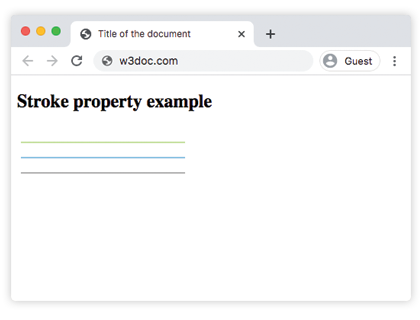
Example with shapes and CSS
You don't have to write stroke as an attribute — here it is set from a <style> block, applied to several shapes at once. Note fill: none so only the outline shows:
<!DOCTYPE html>
<html>
  <head>
    <title>Title of the document</title>
    <style>
      .outline {
        fill: none;
        stroke: #1c87c9;
        stroke-width: 4px;
      }
      circle.outline {
        stroke: #8ebf42;
      }
    </style>
  </head>
  <body>
    <h2>Stroke from a CSS rule</h2>
    <svg height="120" width="300">
      <rect class="outline" x="10" y="10" width="100" height="100" />
      <circle class="outline" cx="220" cy="60" r="50" />
    </svg>
  </body>
</html>Values
| Value | Description |
|---|---|
| none | No paint is applied. |
| color | Sets a solid color. Color names, hexadecimal color codes, rgb(), rgba(), hsl(), hsla() can be used. |
| url | A URL reference to a paint server element defining a paint server. |
| context-fill | Uses the value of fill from a context element. |
| context-stroke | Uses the value of stroke from a context element. |
| initial | Makes the property use its default value. |
| inherit | Inherits the property from its parents element. |
The initial value is none, which means a shape with no stroke is drawn with no outline at all — even if stroke-width is set.
Related stroke properties
stroke only sets the color of the outline. To control how that outline looks, combine it with:
stroke-width— how thick the line is.stroke-dasharray— a dash/gap pattern instead of a solid line.stroke-dashoffset— where the dash pattern starts (the key to line-drawing animations).stroke-linecap— the shape of the line's end caps.
Common gotchas
- Nothing shows up. If
stroke-widthis0(the default), the outline is invisible no matter what color you pick. Always set a width. - The shape is solid. If you only want the outline, set
fill: none— otherwise the interior is painted black by default. - It doesn't work on a
<div>.strokehas an effect only on SVG graphics and text elements:<altGlyph>,<circle>,<ellipse>,<line>,<path>,<polygon>,<polyline>,<rect>,<text>,<textPath>,<tref>, and<tspan>.