CSS right Property
How to use the right CSS property to set the right position of an element. See the property values in use and practice.
The CSS right property sets the horizontal offset of a positioned element — how far its right edge sits from a reference edge. On its own it does nothing; it only takes effect once you give the element a position value other than the default static.
This page explains how right behaves under each positioning scheme, how it interacts with left, and the common gotchas to watch for.
How right works
The reference edge that right measures from depends entirely on the element's position value:
absoluteorfixed—rightis the distance between the element's right edge and the right edge of its containing block (forabsolute, the nearest positioned ancestor; forfixed, the viewport).relative—rightshifts the element to the left from its normal position by the given amount, while the space it originally occupied is preserved. (The name is counter-intuitive: a positiverightvalue moves the element away from the right, i.e. leftward.)sticky—rightis the distance from the right edge of the scroll container at which the element "sticks" while scrolling.static—righthas no effect at all.
If position is static (the default), right is ignored. Set position: relative, absolute, fixed, or sticky first.
right vs left
If you set both left and right on the same element, the result depends on the width and the writing direction:
- With
width: auto, the element stretches to satisfy both offsets — useful for pinning an element a fixed distance from each side of its container. - With a fixed
width, the two would over-constrain the box. In left-to-right text,leftwins andrightis ignored; in right-to-left text,rightwins.
When you only need one horizontal offset, set just left or just right and leave the other at auto.
| Initial Value | auto |
|---|---|
| Applies to | Positioned elements. |
| Inherited | No. |
| Animatable | Yes. Position of the element is animatable. |
| Version | CSS2 |
| DOM Syntax | Object.style.right = "50px"; |
Syntax
right: auto | length | percentage | initial | inherit;Examples
Example with a px value
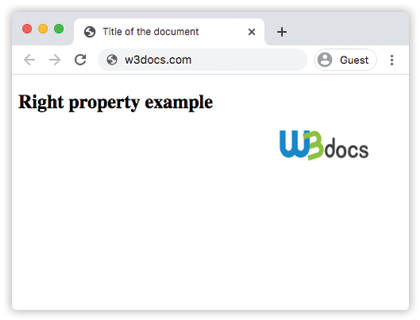
Here the image is taken out of the normal flow with position: absolute and pinned 35px from the right edge of the page.
<!DOCTYPE html>
<html>
  <head>
    <title>Title of the document</title>
    <style>
      img {
        position: absolute;
        right: 35px;
      }
    </style>
  </head>
  <body>
    <h2>Right property example</h2>
    <img src="https://api.w3docs.com/uploads/media/default/0001/01/0710cad7a1017902166203def268a0df2a5fd545.png" alt="W3docs logo" width="146" height="41" />
  </body>
</html>Result
Example with a % value
A percentage value is resolved against the width of the containing block, so right: 30% keeps the offset proportional as the container resizes.
<!DOCTYPE html>
<html>
  <head>
    <title>Title of the document</title>
    <style>
      div {
        height: 150px;
        width: 100%;
        background-color: #ccc;
        color: #ffffff;
      }
      img {
        position: absolute;
        right: 30%;
        top: 120px;
      }
    </style>
  </head>
  <body>
    <h2>Right property example</h2>
    <img src="https://api.w3docs.com/uploads/media/default/0001/01/0710cad7a1017902166203def268a0df2a5fd545.png" alt="W3docs logo" width="146" height="41" />
    <div>This is some div element.</div>
  </body>
</html>Example with the initial value
initial resets right to its default of auto, letting the browser place the right edge automatically based on the other offsets and the box's size.
<!DOCTYPE html>
<html>
  <head>
    <title>Title of the document</title>
    <style>
      div {
        position: relative;
        max-width: 300px;
        line-height: 20px;
      }
      p {
        position: absolute;
        right: initial;
        background-color: lightgreen;
      }
    </style>
  </head>
  <body>
    <h2>Right property example</h2>
    <div>
      Lorem ipsum, or lipsum as it is sometimes known, is dummy text used in laying out print, graphic or web designs
      <p>Some text</p>
    </div>
  </body>
</html>Values
| Value | Description | Play it |
|---|---|---|
| auto | Sets the right edge position. It is the default value of this property. | Play it » |
| length | Sets the right edge position with px, em, rem, etc. Negative values are allowed. | Play it » |
| % | Sets the right edge position with % of containing element. Negative values are allowed. | Play it » |
| initial | Sets the property to its default value (auto), which lets the browser calculate the position automatically. | Play it » |
| inherit | Inherits the property from the parent element. |
Related properties
The right property is one of four inset properties that work together with position:
left— offsets the element's left edge.top— offsets the element's top edge.bottom— offsets the element's bottom edge.