CSS word-spacing Property
Use the word-spacing CSS property for specifying the space between the words in a text. Read about property values and try examples.
The CSS word-spacing property controls the amount of space between words in a piece of text. It adds to (or subtracts from) the default gap that the font already places after each space character — so it tunes the distance between words, not the distance between individual letters. For the space between letters, use letter-spacing instead.
This page covers the syntax, every accepted value, how positive and negative lengths behave, the units you can use, accessibility considerations, and runnable examples.
How it works
The browser starts from the word gap defined by the font. The value you give word-spacing is added on top of that baseline:
- A positive value pushes words further apart.
- A negative value pulls words closer together (and can overlap them if large enough).
- The keyword
normalresets to the font's default spacing — it is equivalent to0, but it is the property's initial value rather than a literal length.
Because word-spacing operates on the gaps produced by space characters, it only affects inline content. It is also inherited, so setting it on a container applies to all descendant text unless a child overrides it.
When would I use it?
- Readability — gently widening word gaps can make dense or uppercase headings easier to scan.
- Display type — tracking out a logo-style heading for a deliberate, airy look.
- Tightening — a small negative value can recover space in a constrained layout, though use it sparingly.
For most body text, leave it at normal; large word gaps slow reading rather than help it.
The word-spacing property can be animated, so it can be transitioned with the transition property.
word-spacing applies to inline content only. To space out letters instead, see letter-spacing; to control spacing produced by whitespace, see white-space.
| Initial Value | normal |
|---|---|
| Applies to | All elements. It also applies to ::first-letter and ::first-line. |
| Inherited | Yes. |
| Animatable | Yes. Word-spacing is animatable. |
| Version | CSS1 |
| DOM Syntax | object.style.wordSpacing = "40px"; |
Syntax
Syntax of CSS word-spacing Property
word-spacing: normal | length | initial | inherit;Example of the word-spacing property with the "normal" value:
Example of CSS word-spacing Property with normal value
<!DOCTYPE html>
<html>
  <head>
    <title>Title of the document</title>
    <style>
      .text {
        word-spacing: normal;
      }
    </style>
  </head>
  <body>
    <h2>Word-spacing property example</h2>
    <p class="text">Lorem ipsum is simply dummy text...</p>
  </body>
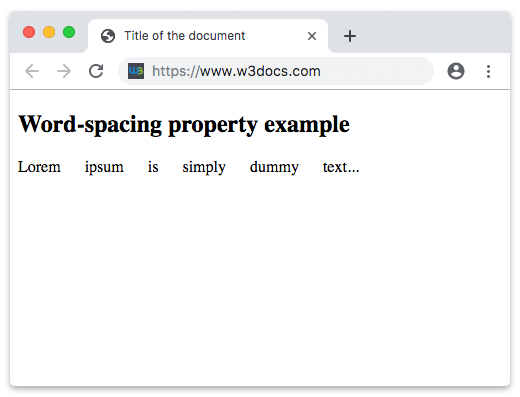
</html>In the following example the space between the words is 20px:
Example of the word-spacing property specified in "px":
Example of CSS word-spacing Property with length (px) value
<!DOCTYPE html>
<html>
  <head>
    <title>Title of the document</title>
    <style>
      .text {
        word-spacing: 20px;
      }
    </style>
  </head>
  <body>
    <h2>Word-spacing property example</h2>
    <p class="text">Lorem ipsum is simply dummy text...</p>
  </body>
</html>Result
Example of a negative word-spacing value:
A negative length pulls words closer together. Here the gap is reduced by 3px:
<!DOCTYPE html>
<html>
  <head>
    <title>Title of the document</title>
    <style>
      .text {
        word-spacing: -3px;
      }
    </style>
  </head>
  <body>
    <h2>Negative word-spacing example</h2>
    <p class="text">Lorem ipsum is simply dummy text of the printing industry.</p>
  </body>
</html>Units
The length value accepts any CSS length unit:
- Absolute —
px,pt,cm. Fixed regardless of font size. - Relative —
emandrem. Anemvalue scales with the element'sfont-size, soword-spacing: 0.25emkeeps the proportion consistent as text grows. This is usually the more robust choice for responsive type. Percentage values are not allowed.
Accessibility
Per WCAG 1.4.12 (Text Spacing), users may override word spacing to at least 0.16em for readability. Avoid hard-coding large pixel values that prevent text from reflowing, and never rely on word spacing alone to convey meaning. Excessive spacing can also break apart words for users with cognitive or visual impairments, so keep adjustments subtle for body copy.
Values
| Value | Description | Play it |
|---|---|---|
| normal | Specifies normal word spacing. This is the default value of this property. | Play it » |
| length | Specifies an extra word spacing. Can be specified in px, pt, cm, em, etc. Negative values are valid. | Play it » |
| initial | Makes the property use its default value. | Play it » |
| inherit | Inherits the property from its parents element. |