CSS border-bottom-left-radius Property
CSS border-bottom-left-radius rounds the bottom-left corner of an element. Learn its syntax, values, and examples.
The border-bottom-left-radius property specifies the rounding of the bottom-left corner of the element.
The border-bottom-left-radius property is one of the CSS3 properties.
If you do not specify a value, the corner remains square. When a value is provided, it creates a quarter ellipse. If you use a background image or color, it will be clipped at the border. The process of clipping is defined by the value of the background-clip property.
The border-bottom-left-radius property has two values: length and percentage. When only one value is given, it specifies both horizontal and vertical radii of the ellipse. If two values are given, the first value sets the horizontal radius and the second value sets the vertical radius.
Percentages for the horizontal radius refer to the width of the box, percentages for the vertical radius refer to the height of the box. Negative values are not allowed.
If the border-radius shorthand property is applied after border-bottom-left-radius, it overrides the individual property value. For this reason, when you set corners individually, declare them after any border-radius shorthand. The border-bottom-left-radius property is most useful when you want to round only one corner of an element — for example, a chat bubble, a card with a single rounded corner, or a custom-shaped button — while leaving the other three corners square.
| Initial Value | 0 |
|---|---|
| Applies to | All elements. It also applies to ::first-letter. |
| Inherited | No. |
| Animatable | Yes. The radius of the bottom left border is animatable. |
| Version | CSS3 |
| DOM Syntax | object.style.borderBottomLeftRadius = "35px"; |
Syntax
Syntax of CSS border-bottom-left-radius Property
border-bottom-left-radius: length| % | initial | inherit;Example of the border-bottom-left-radius property:
Example of CSS border-bottom-left-radius Property with px value
<!DOCTYPE html>
<html>
  <head>
    <title>Title of the document</title>
    <style>
      div {
        height: 40px;
        background: #1c87c9;
        border: 4px solid #000000;
        border-bottom-left-radius: 25px;
      }
    </style>
  </head>
  <body>
    <h2>Border-bottom-left-radius example.</h2>
    <div></div>
  </body>
</html>Result
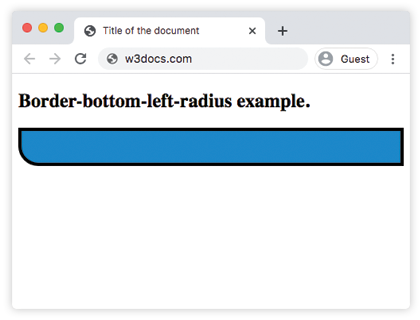
Example of the border-bottom-left-radius property with two values:
Example of CSS border-bottom-left-radius Property with two values
<!DOCTYPE html>
<html>
  <head>
    <title>Title of the document</title>
    <style>
      div {
        height: 40px;
        background: #666;
        border: 4px solid #000000;
        border-bottom-left-radius: 30px 15px;
      }
    </style>
  </head>
  <body>
    <h2>Border-bottom-left-radius example.</h2>
    <div></div>
  </body>
</html>Here 30px is the horizontal radius and 15px is the vertical radius, producing an elliptical (not circular) corner that is wider than it is tall.
Example of the border-bottom-left-radius property with the "percentage" value:
Example of CSS border-bottom-left-radius Property with %(percentage) value
<!DOCTYPE html>
<html>
  <head>
    <style>
      div {
        border: 2px solid blue;
        background-color: #666;
        padding: 10px;
        border-bottom-left-radius: 50%;
      }
    </style>
  </head>
  <body>
    <h2>Border-bottom-left-radius example.</h2>
    <div></div>
  </body>
</html>Values
| Value | Description | Play it |
|---|---|---|
| length | Specifies rounding of the bottom-left corner by "px". | Play it » |
| % | Specifies the rounding of the bottom-left corner in percentage. | Play it » |
| initial | Sets the property to its default value. | Play it » |
| inherit | Inherits the property from its parent element. |
Browser support
The border-bottom-left-radius property is supported in all modern browsers, including Chrome, Firefox, Safari, Edge, and Opera. No vendor prefixes are needed today.
Related properties
border-bottom-left-radius controls a single corner. To round other corners or all of them at once, use these related properties:
- border-radius — shorthand that sets all four corners in one declaration.
- border-bottom-right-radius — rounds the bottom-right corner.
- border-top-left-radius — rounds the top-left corner.
- border-top-right-radius — rounds the top-right corner.