CSS left Property
How to use the left CSS property to set the left position of an element in combination with the position property. See the property values in use.
The left property defines the horizontal offset of a positioned element relative to its containing block. It is one of the four offset properties — alongside right, top, and bottom — that move an element away from where it would otherwise sit.
It specifies the distance between the element's left margin edge and the left edge of its containing block. A positive value pushes the element to the right; a negative value pulls it to the left. The left property only takes effect on elements whose position is something other than the default static.
How left works with position
The exact meaning of left depends entirely on how the element is positioned, so you almost always set position first.
- If
positionis set toabsoluteorfixed, theleftproperty specifies the distance between the element's left edge and the left edge of its containing block. - If
positionis set torelative, theleftproperty specifies the distance the element's left edge is moved to the right from its normal position. - If
positionis set tosticky, theleftproperty offsets the element relative to its containing block. The element behaves likerelativepositioning until it crosses a scroll threshold, after which it behaves likefixedpositioning. - If
positionis set tostatic(the default), theleftproperty has no effect.
When both left and right are set on an absolutely positioned element, left wins for left-to-right languages (and right wins in right-to-left contexts), unless width is auto — in which case the element stretches to satisfy both.
| Initial Value | auto |
|---|---|
| Applies to | Positioned elements. |
| Inherited | No. |
| Animatable | Yes. Position of the element is animatable. |
| Version | CSS2 |
| DOM Syntax | Object.style.left = "50px"; |
Syntax
Syntax of CSS left Property
left: auto | length | initial | inherit;Example of the left property:
Example of CSS left Property with position property
<!DOCTYPE html>
<html>
  <head>
    <title>Title of the document</title>
    <style>
      img {
        position: absolute;
        left: 35px;
      }
    </style>
  </head>
  <body>
    <h2>Left property example</h2>
    <p>Here the left property is defined as 35px.</p>
    <img src="https://api.w3docs.com/uploads/media/default/0001/01/0710cad7a1017902166203def268a0df2a5fd545.png" alt="CSS left property" />
  </body>
</html>Result
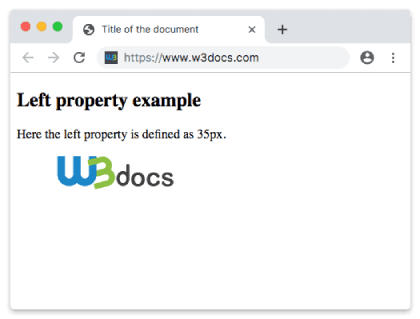
Example of using the left property when the image is inside a <div> element:
Example of CSS left Property with the img tag
<!DOCTYPE html>
<html>
  <head>
    <title>Title of the document</title>
    <style>
      div {
        position: relative;
        height: 150px;
        width: 400px;
        background-color: #ccc;
        color: #666;
        padding: 10px;
      }
      img {
        position: absolute;
        left: 200px;
      }
    </style>
  </head>
  <body>
    <h2>Left property example</h2>
    <div>
      <img src="https://api.w3docs.com/uploads/media/default/0001/01/0710cad7a1017902166203def268a0df2a5fd545.png" alt="CSS left property" /> This is some div element for
      <br /> which the left side is defined
      <br /> as 200px.
    </div>
  </body>
</html>Example of the left property specified with percentages:
Example of CSS left Property with percentage value
<!DOCTYPE html>
<html>
  <head>
    <title>Title of the document</title>
    <style>
      .example {
        position: absolute;
        left: 20%;
        top: 20%;
        width: 100px;
        height: 100px;
        background-color: #ccc;
        color: #666;
      }
    </style>
  </head>
  <body>
    <h2>Left property example</h2>
    <div class="example">left: 20%</div>
  </body>
</html>Example of the left property with all the values:
Example of CSS left Property with auto, px and % (percentage)values
<!DOCTYPE html>
<html>
  <head>
    <title>Title of the document</title>
    <style>
      .box1 {
        position: absolute;
        left: auto;
        width: 100px;
        height: 100px;
        background-color: #ccc;
      }
      .box2 {
        position: absolute;
        top: 190px;
        left: 50px;
        width: 100px;
        height: 100px;
        background-color: #444;
        color: #fff;
      }
      .box3 {
        position: absolute;
        left: 10%;
        top: 50%;
        width: 100px;
        height: 100px;
        background-color: #666;
        color: #fff;
      }
      .box4 {
        position: absolute;
        left: 20%;
        top: 70%;
        width: 100px;
        height: 100px;
        background-color: #777;
        color: #fff;
      }
      .box5 {
        position: absolute;
        left: -20px;
        top: 90%;
        width: 100px;
        height: 100px;
        background-color: #999;
        text-align: right;
        color: #fff;
      }
    </style>
  </head>
  <body>
    <h2>Left property example</h2>
    <div class="box1">left: auto</div>
    <div class="box2">left: 50px</div>
    <div class="box3">left: 10%</div>
    <div class="box4">left: 20%</div>
    <div class="box5">left: -20px</div>
  </body>
</html>Values
| Value | Description | Play it |
|---|---|---|
| auto | The browser will set the left edge position. It is the default value of this property. | Play it » |
| length | Sets the left edge position in px, cm etc.. Negative values are allowed. | Play it » |
| % | Sets the left edge position as a percentage of the containing block's width. Negative values are allowed. | Play it » |
| initial | Makes the property use its default value. | Play it » |
| inherit | Inherits the property from its parents element. |
Note: On positioned elements, left defines the horizontal offset from the containing block. If both left and margin-left are specified, left takes precedence for positioning calculations.
When to use left
- Pinning UI to a corner. Combine
position: fixedwithleft(andtop) to keep a button, badge, or chat widget in place while the page scrolls. - Nudging an element. With
position: relative, a smallleftvalue shifts an element from its natural spot without removing it from the document flow, so surrounding content keeps its space. - Overlays inside a box. Give a wrapper
position: relativeand the childposition: absolute, thenleftpositions the child relative to that wrapper rather than the whole page.
For layouts that must support multiple writing directions, consider the logical property inset-inline-start: it follows the text direction, mapping to left in left-to-right languages and to right in right-to-left ones automatically.
Browser support
The left property is part of CSS2 and works in every modern browser, including all versions of Chrome, Firefox, Safari, Edge, and Opera.