CSS text-decoration-skip Property
The text-decoration-skip CSS property specifies the parts of the content to be skipped. See property values and try examples.
The CSS text-decoration-skip property was meant to control which parts of an element's content a text decoration line (underline, overline, or line-through) should skip over instead of drawing through.
It applied to all decoration lines drawn by the element and inherited from its ancestors. The idea was that you could keep an underline from cutting through whitespace, replaced elements like images, or the descenders of letters such as "g" and "y".
In practice the property never shipped. Browser vendors split its functionality into the dedicated text-decoration-skip-ink property — which controls skipping over letter glyphs — and the original text-decoration-skip was dropped from the specification. This page documents it for reference; do not use it in new code.
The ink value — the only part of this property that browsers ever cared about — was moved to its own text-decoration-skip-ink property. That is the property you almost certainly want today.
When to use it
Never in new projects. text-decoration-skip is obsolete and unsupported in every current browser, so declaring it has no effect. The two practical takeaways:
- To stop an underline from clashing with letter descenders, use
text-decoration-skip-ink: auto(this is the modern default). - To style underlines themselves, use
text-decoration-line,text-decoration-color,text-decoration-style, or thetext-decorationshorthand.
You may still encounter text-decoration-skip in older stylesheets or tutorials — recognizing it (and knowing it does nothing) is the main reason to be aware of it.
| Initial Value | none |
|---|---|
| Applies to | All elements. |
| Inherited | Yes. |
| Animatable | No. |
| Version | Draft (Obsolete) |
| DOM Syntax | object.style.textDecorationSkip = "spaces"; |
Syntax
In the now-removed specification the value was either the single keyword none or one or more space-separated keywords from the list below.
/* Single keyword */
text-decoration-skip: none;
text-decoration-skip: objects;

/* Multiple keywords */
text-decoration-skip: objects spaces;
text-decoration-skip: leading-spaces trailing-spaces edges;Example of the text-decoration-skip property
Because no browser implements text-decoration-skip, the underline below is drawn straight through everything — the property is simply ignored. The example is kept to show the historical syntax:
CSS text-decoration-skip code example
<!DOCTYPE html>
<html>
  <head>
    <title>Title of the document</title>
    <style>
      p {
        margin: 1em;
        color: #ccc;
        font-size: 2em;
        text-decoration: underline;
        text-decoration-skip: edges;
      }
    </style>
  </head>
  <body>
    <h2>Text-decoration-skip property example</h2>
    <p>
      <em>Lorem,</em>
      <em>ipsum is simply dummy text</em>
    </p>
  </body>
</html>Result
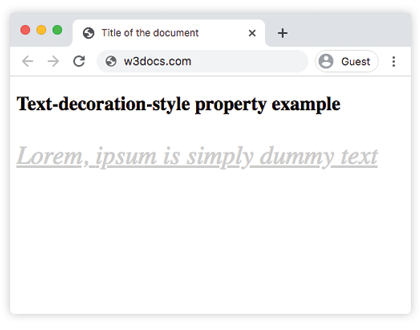
This property is obsolete and not supported in modern browsers. The example will not render any visual changes.
Values
| Value | Description |
|---|---|
| none | No skip will appear. Thus, text decoration is drawn for all text content. |
| objects | Skips decorations over replaced elements (like images) or inline-block boxes. |
| spaces | All spacing is skipped. |
| leading-spaces | Leading whitespace is skipped (word separators plus any leading letter-spacing or word-spacing). |
| trailing-spaces | Trailing whitespace is skipped (word separators plus any trailing letter-spacing or word-spacing). |
| edges | The start and end of each decoration line are inset slightly from the content edge of the decorating box, so adjacent underlines don't visually merge. |
| box-decoration | The box’s margin, border, and padding areas are skipped. |
Browser Compatibility
| Browser | Support |
|---|---|
| Chrome | Never implemented |
| Firefox | Never implemented |
| Safari | Never implemented |
| Edge | Never implemented |
| Opera | Never implemented |