CSS clip Property
The CSS clip property applies only to absolutely positioned elements, that are elements with position: absolute or position: fixed.Try Examples.
The CSS clip property defines a rectangle that crops a positioned element, hiding everything outside that rectangle. Anything beyond the visible region is not rendered and does not respond to clicks. It is the original "show only this part of the box" tool in CSS, and although it has since been deprecated in favor of clip-path, you still meet it in older code and in the classic "visually hidden" accessibility pattern.
This page covers what clip does, how its rect() coordinates work, where it applies, and how to migrate to the modern replacement.
How clip works
The clipping region is a rectangle written as rect(top, right, bottom, left). Each value is a length offset measured from the top-left corner of the element's border box, so it answers "how far in from the edge does this side of the visible window sit?":
top— distance from the top edge to the top of the visible region.right— distance from the left edge to the right of the visible region.bottom— distance from the top edge to the bottom of the visible region.left— distance from the left edge to the left of the visible region.
So rect(10px, 80px, 60px, 20px) keeps the slice of the element between x = 20px…80px and y = 10px…60px and hides the rest. Each of the four sides may also be auto, meaning "use the element's own edge" (no clipping on that side).
clip only takes effect on absolutely positioned elements — that is, elements with position: absolute or position: fixed. On a statically or relatively positioned element it is ignored. It is also ignored when the overflow property is set to visible (the default), so a clipped element usually needs position: absolute already establishing its own context.
The comma gotcha
CSS2 defined rect() with commas — rect(0px, 70px, 200px, 0px) — but some legacy browsers also accepted a space-separated form, rect(0px 70px 200px 0px). The comma form is the safe one. Always include units; rect(0, 70, 200, 0) without px is invalid.
The clip property is deprecated and removed from the modern CSS spec. For new work use clip-path, which is not limited to rectangles, works on any positioned or static element, and can be animated. The direct replacement for clip: rect(t, r, b, l) is clip-path: inset(t calc(100% - r) calc(100% - b) l), or more simply clip-path: rect(t r b l) in browsers that support the rect() shape.
| Initial Value | auto |
|---|---|
| Applies to | Absolutely positioned elements. |
| Inherited | No. |
| Animatable | No. |
| Version | CSS2 |
| DOM Syntax | object.style.clip = "rect(10px,40px,40px,10px)"; |
Syntax
Syntax of CSS clip Property
clip: auto | shape | initial | inherit;Example of the clip property:
Example of CSS clip Property with auto value
<!DOCTYPE html>
<html>
  <head>
    <title>Title of the document</title>
    <style>
      img {
        position: absolute;
        clip: auto;
      }
    </style>
  </head>
  <body>
    <img src="https://api.w3docs.com/uploads/media/default/0001/01/003e5c463668d174ab70bea245c192d81901a4a6.png" alt="W3docs.com" />
  </body>
</html>Result
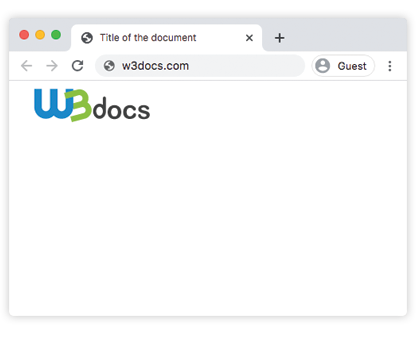
With clip: auto nothing is cropped — the full image shows. In the next example the rect() rectangle clips the image down to the region defined by its coordinates.
Example of the clip property with the "rect" value:
Example of CSS clip Property with shape value
<!DOCTYPE html>
<html>
  <head>
    <title>Title of the document</title>
    <style>
      img {
        position: absolute;
        clip: rect(0px, 70px, 200px, 0px);
      }
    </style>
  </head>
  <body>
    <img src="https://api.w3docs.com/uploads/media/default/0001/01/003e5c463668d174ab70bea245c192d81901a4a6.png" alt="W3docs.com logo" />
  </body>
</html>The "visually hidden" pattern
The most common reason clip survives in real code is the visually hidden (a11y) helper. It hides content from sighted users while keeping it available to screen readers — unlike display: none or visibility: hidden, which remove the text from the accessibility tree as well.
.visually-hidden {
  position: absolute;
  width: 1px;
  height: 1px;
  margin: -1px;
  padding: 0;
  border: 0;
  overflow: hidden;
  clip: rect(0, 0, 0, 0);
  white-space: nowrap;
}Apply it to a <span> that labels an icon-only button, for example, and the label is announced but never painted. Modern stylesheets pair this with clip-path: inset(50%) so the helper keeps working as clip is phased out.
Values
| Value | Description | Play it |
|---|---|---|
| auto | Does not clip an element. This is default value. | Play it » |
| shape | Clips an element. The only valid value is rect(top, right, bottom, left). | Play it » |
| initial | It makes the property use its default value. | Play it » |
| inherit | It inherits the property from its parent element. |