CSS Syntax
CSS Syntax- CSS Syntax consists of 3 parts: a selector, a property and a value.Try CSS Syntax examples yourself! Learn with W3docs!
CSS syntax is the set of rules that tells the browser how to style HTML. Every CSS rule follows the same pattern, so once you learn the shape of one rule you can read them all. This chapter breaks that pattern down into its three parts, shows a working example, and explains how to write comments.
If you are brand new to CSS, read the CSS introduction first to see how stylesheets connect to a page.
The Anatomy of a CSS Rule
A CSS rule (also called a ruleset) is built from two pieces: a selector and a declaration block. Inside the declaration block, each declaration is a property: value pair.
selector {
  property: value;
}Put together, a rule consists of three things to know:
- Selector — which element(s) to style.
- Property — what aspect to change.
- Value — the setting to apply.
Selector
The selector targets the HTML element you want to style. This could be any tag like <h1> or <p>, a class, or an ID. A single selector can carry one or many declarations. Selectors are a topic of their own — see CSS selectors for the full list.
Property
The property is the specific feature you want to change, such as color, border, or font-size. Each property accepts a particular kind of value, and every property must be paired with one.
Value
The value is what you assign to the property. For example, the value of the color property can be a keyword like red or a hex code like #f1f1f1.
Syntax rules to remember
- A colon (
:) separates a property from its value. - A semicolon (
;) ends each declaration and separates one from the next. - The whole declaration block is wrapped in curly braces (
{ }). - CSS ignores extra whitespace and line breaks between selectors, properties, and values, so you are free to format rules for readability.
A selector can have more than one declaration, each separated by a semicolon:
p {
  color: #1c87c9;
  font-size: 16px;
  line-height: 1.5;
}Example of CSS syntax
CSS Syntax Example
<!DOCTYPE html>
<html>
  <head>
    <title>Title of the document</title>
    <style>
      a {
        color: #1c87c9;
      }
    </style>
  </head>
  <body>
    <a>The color of this link is #1c87c9.</a>
  </body>
</html>Result
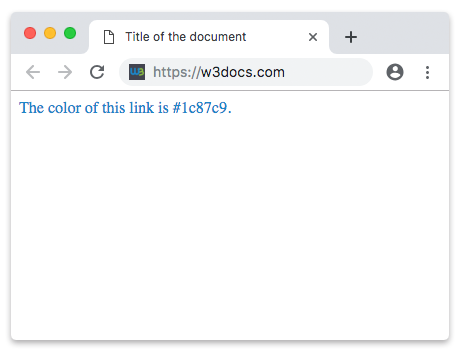
In the example above, the <a> tag is the selector, color is the property, and #1c87c9 is the value. The property and its value sit inside the curly braces, separated by a colon and closed with a semicolon.
CSS Comments
Comments let you add explanations or notes to your stylesheet. Browsers ignore them, so they never affect the page. They are useful for documenting why a rule exists, labeling sections, or temporarily disabling a declaration while you debug.
A CSS comment starts with /* and ends with */:
Comments in CSS Example
/* This is a comment */Comments can also span multiple lines, which is handy for blocking out several declarations at once:
/*
  This whole block is ignored by the browser.
  color: red;
  font-size: 20px;
*/Note that CSS comments cannot be nested — once you open /*, the first */ ends the comment. Also remember that // is not a valid CSS comment; it works in some preprocessors like Sass but not in plain CSS.
Example of CSS comments
Examples of CSS Comments
<!DOCTYPE html>
<html>
  <head>
    <title>Title of the document</title>
    <style>
      h1 {
        padding-left: 10px;
        font-size: 26px;
        line-height: 30px;
        /*color:red;*/
      }
      p {
        color: #1c87c9;
        /*font-size:25px;
        border:1px solid red;
        */
        padding: 10px;
        line-height: 30px;
      }
    </style>
  </head>
  <body>
    <h1>CSS Comments</h1>
    <p>
      Lorem Ipsum is simply dummy text of the printing and typesetting industry. Lorem Ipsum has been the industry's standard dummy text ever since the 1500s, when an unknown printer took a galley of type and scrambled it to make a type specimen book.
    </p>
  </body>
</html>Summary
- A CSS rule is a selector plus a declaration block in curly braces.
- Each declaration is a
property: valuepair, ended by a semicolon. - Whitespace is ignored, so format rules however reads best.
- Comments are written
/* ... */and can span multiple lines, but cannot be nested.
Next, learn how to attach these rules to a page in HTML styles, then explore CSS selectors to target exactly the elements you want.