CSS text-stroke-color Property
Use the text-stroke CSS property to specify the color of the stroke. See property values and try examples.
The text-stroke-color property sets the color of the stroke (the outline drawn around the edges of each character), independently from the text's color, which fills the interior of the glyph. Together with text-stroke-width it lets you give text an outlined, hollow, or two-tone look — a common technique for large display headings, logos, and badges.
This property only takes effect when a stroke width is set. With a width of 0 (the default), there is nothing to color and you will see no difference on screen.
The initial value is currentColor, which means that, until you set it, the stroke matches the element's color. So if your text is blue, the outline is blue too.
When to use it
- Outlined headings — fill the text with one color and stroke it with another for emphasis.
- Hollow / "ghost" text — set
color: transparentand rely entirely on the stroke, so only the outline is visible. - Legibility over busy backgrounds — a thin dark stroke on light text (or vice versa) keeps words readable on top of images.
Browser support
text-stroke-color is part of the standard, but for broad cross-browser support you should set the -webkit-text-stroke-color prefixed property as well. Always pair it with -webkit-text-stroke-width. The shorthand -webkit-text-stroke sets width and color in one declaration.
You can pick any CSS color value. See HTML colors, the full list of CSS color names, or the color property for the available formats.
| Initial Value | currentColor |
|---|---|
| Applies to | All elements. |
| Inherited | Yes. |
| Animatable | Yes. The color is animatable. |
| Version | CSS Text Module Level 4 |
| DOM Syntax | object.style.textStrokeColor = "#8ebf42"; |
Syntax
CSS text-stroke-color values
text-stroke-color: color | initial | inherit;Interactive example
The example below strokes the text in green and lets you change the stroke color live with a color picker. Note how the prefixed and unprefixed properties are set together.
<!DOCTYPE html>
<html>
  <head>
    <title>Title of the document</title>
    <style>
      body {
        display: flex;
        flex-direction: column;
        align-items: center;
        gap: 1em;
        margin-top: 2em;
      }
      p {
        margin: 0;
        font-size: 3em;
        -webkit-text-stroke-width: 2px;
        text-stroke-width: 2px;
        -webkit-text-stroke-color: #8ebf42;
        text-stroke-color: #8ebf42;
      }
    </style>
  </head>
  <body>
    <h2>Text-stroke-color property example</h2>
    <p>Lorem Ipsum is simply dummy text...</p>
    <input type="color" value="#8ebf42" />
    <script>
      const input = document.querySelector('input[type="color"]');
      const p = document.querySelector('p');
      input.addEventListener('input', (e) => {
        p.style.webkitTextStrokeColor = e.target.value;
        p.style.textStrokeColor = e.target.value;
      });
    </script>
  </body>
</html>Result
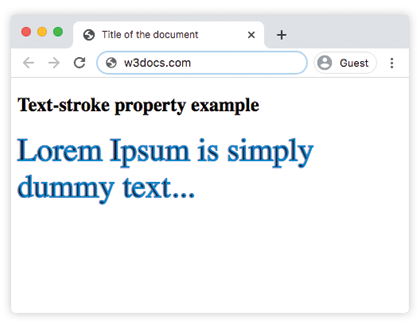
Example of hollow (outlined-only) text
Set the text color to transparent so the fill disappears and only the stroke remains. This produces a classic "ghost" or outline heading.
<!DOCTYPE html>
<html>
  <head>
    <title>Hollow text with text-stroke-color</title>
    <style>
      h1 {
        font-size: 4em;
        color: transparent;
        -webkit-text-stroke-width: 2px;
        text-stroke-width: 2px;
        -webkit-text-stroke-color: #1c87c9;
        text-stroke-color: #1c87c9;
      }
    </style>
  </head>
  <body>
    <h1>Outline</h1>
  </body>
</html>Values
| Value | Description |
|---|---|
| color | Specifies the color of the stroke. Color names, hexadecimal color codes, rgb(), rgba(), hsl(), hsla() can be used. |
| initial | Makes the property use its default value. |
| inherit | Inherits the property from its parent element. |
Related properties
text-stroke-width— sets how thick the stroke is. Without a width,text-stroke-colorhas no visible effect.text-stroke— shorthand that sets the stroke width and color together.text-fill-color— controls the interior fill color independently ofcolor.color— the standard text color; also the source ofcurrentColor, the initial stroke color.