CSS font-variant-alternates Property
The font-variant-alternates CSS property deals with the selection of alternate glyphs. See the values and try examples.
The CSS font-variant-alternates property controls the selection of alternate glyphs — the special character shapes (swashes, ornaments, stylistic sets, historical forms, and so on) that an OpenType font may provide in addition to its default characters.
This page explains what alternate glyphs are, how to enable them, how each function maps to OpenType features, and the gotchas to watch for.
Why use alternate glyphs?
Many high-quality OpenType fonts ship extra versions of certain letters. A swash might add a decorative flourish to a capital; a stylistic set might switch a whole family of letters to a calligraphic look; historical forms can restore the long "ſ" used in older typesetting. By default a browser renders the standard glyph — font-variant-alternates is how you opt in to the alternates without having to know low-level OpenType feature tags.
You would reach for this property when you want typographic polish (logos, headings, editorial display text) and your chosen font actually contains the alternate glyphs. If the font has no alternates, the property has no visible effect.
How it works: @font-feature-values
Most of the functions below (stylistic(), styleset(), character-variant(), swash(), ornaments(), annotation()) take a name rather than a number. Those human-readable names are defined once with the @font-feature-values at-rule, then referenced from your stylesheet. This indirection lets you give meaningful names like fancy or circled to the otherwise opaque feature indexes a font exposes.
/* 1. Map a readable name to a feature index, per font family */
@font-feature-values "Leitura Display Swashes" {
  @swash { fancy: 1; }
}

/* 2. Reference the name in font-variant-alternates */
.title {
  font-family: "Leitura Display Swashes";
  font-variant-alternates: swash(fancy);
}The exception is historical-forms, which is a plain keyword and needs no @font-feature-values entry.
| Initial Value | normal |
|---|---|
| Applies to | All elements. It also applies to ::first-letter and ::first-line. |
| Inherited | Yes. |
| Animatable | No. |
| Version | CSS3 |
| DOM Syntax | object.style.fontVariantAlternates = "normal"; |
Syntax
Syntax of CSS font-variant-alternates Property
font-variant-alternates: normal | historical-forms | stylistic() | styleset() | character-variant() | swash() | ornaments() | annotation();Example of the font-variant-alternates property:
Example of CSS font-variant-alternates Property
<!DOCTYPE html>
<html>
  <head>
    <title>Title of the document</title>
    <style>
      @font-feature-values "Leitura Display Swashes" {
        @swash {
          fancy: 1;
        }
      }
      p {
        font-size: 2rem;
      }
      .variant {
        font-family: Leitura Display Swashes;
        font-variant-alternates: swash(fancy);
      }
    </style>
  </head>
  <body>
    <h2>Font-variant-alternates property example</h2>
    <p>This paragraph uses the swash alternate.</p>
    <p class="variant">This paragraph uses the swash alternate.</p>
  </body>
</html>Result
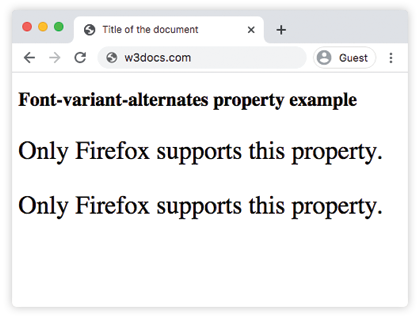
Values
| Value | Description |
|---|---|
| normal | None of the features are enabled. |
| historical-forms | Enables display of historical forms. |
| stylistic() | Enables display of stylistic alternates. |
| styleset() | Enables display with stylistic sets. |
| character-variant() | Enables specific stylistic alternatives for characters. |
| swash() | Enables swash glyphs. |
| ornaments() | Enables display of ornaments. |
| annotation() | Enables alternate annotation forms. |
| initial | It makes the property use its default value. |
| inherit | It inherits the property from its parents element. |
You can combine several functions in a single declaration by separating them with spaces — for example font-variant-alternates: stylistic(alt-a) styleset(my-set);. Only the special keyword normal cannot be mixed with the functions.
How the functions map to OpenType features
If you have used the lower-level font-feature-settings approach, this table shows the OpenType feature each function corresponds to:
| Function | OpenType feature | Typical use |
|---|---|---|
historical-forms | hist | Long "ſ", archaic letterforms. |
stylistic() | salt | A single alternate glyph chosen by name. |
styleset() | ss01–ss20 | A coordinated set of alternates. |
character-variant() | cv01–cv99 | Per-character alternates that can be set independently. |
swash() | swsh / cswh | Decorative flourishes on letters. |
ornaments() | ornm | Dingbats and decorative marks. |
annotation() | nalt | Circled or boxed numbers and letters. |
Gotchas
- The font must contain the alternate. If the active font has no swash or stylistic set, the property silently does nothing — there is no fallback glyph to fall back to.
- Names must be declared first. A function like
swash(fancy)only works iffancyis mapped in an@font-feature-valuesblock for the matchingfont-family. - It is inherited. Because the property inherits, set it on the smallest element that needs it (or reset it to
normalon children) to avoid leaking decorative glyphs into surrounding text.
Related properties
font-variant— the shorthand that bundles allfont-variant-*longhands.@font-feature-values— defines the readable names this property references.font-family— selects the font that provides the alternates.
Browser Compatibility
| Browser | Support |
|---|---|
| Chrome | 36+ |
| Edge | 79+ |
| Firefox | 34+ |
| Safari | 10+ |
| Opera | 23+ |