HTML <nobr> Tag
The <nobr> tag is non-standard and was never part of HTML. Learn the modern CSS replacement, white-space: nowrap, with examples.
The <nobr> tag was meant to prevent text from wrapping to multiple lines — it kept the content on a single line. Normally, when a line of text is longer than its container, the browser breaks it onto the next line. <nobr> suppressed that automatic line breaking, so a horizontal scrollbar appeared if the line was too long to fit.
Never use <nobr> in new code. It was never part of any HTML standard — not HTML 4, not HTML5, and not the current WHATWG HTML specification. It has always been a non-standard browser extension. Browsers may still render it for backward compatibility, but they can drop support at any time, and it will not validate. Control line wrapping with the CSS white-space property instead.
This page shows the correct, standards-based way to stop text from wrapping, then documents the obsolete <nobr> tag so you can recognize and remove it from old markup.
The modern replacement: white-space: nowrap
To keep text on a single line, set the CSS white-space property to nowrap on the element. This is the direct, standard equivalent of <nobr> and works in every modern browser.
<!DOCTYPE html>
<html>
  <head>
    <title>Title of the document</title>
    <style>
      .no-wrap {
        white-space: nowrap;
      }
    </style>
  </head>
  <body>
    <h1>Example of white-space: nowrap</h1>
    <p class="no-wrap">
      It is an ordinary and very long text that is inconvenient to read, because it is written on one line and you have to scroll horizontally to read it.
    </p>
  </body>
</html>How white-space controls wrapping
The white-space property decides how the browser handles whitespace and line breaks inside an element. Its main values:
normal— the default. Sequences of whitespace collapse into a single space, and lines wrap as needed to fill the container.nowrap— collapses whitespace likenormal, but text never wraps. The line keeps going until a<br>is reached. This is the<nobr>replacement.pre— whitespace and line breaks are preserved exactly as written in the source. Text does not wrap (similar to the<pre>element).pre-wrap— preserves whitespace and source line breaks, and wraps text when it overflows the container.pre-line— preserves source line breaks but collapses other whitespace, and wraps as needed.
Avoiding horizontal overflow
A non-wrapping line can push past the edge of its container. To keep the page tidy, give the container a scrollbar with the overflow property instead of letting the line spill onto the rest of the page:
<!DOCTYPE html>
<html>
  <head>
    <title>Title of the document</title>
    <style>
      .scroll-box {
        white-space: nowrap;
        overflow: auto;       /* scrollbar appears only when needed */
        width: 300px;
        border: 1px solid #ccc;
        padding: 8px;
      }
    </style>
  </head>
  <body>
    <p class="scroll-box">
      This long line stays on a single row, and the box scrolls horizontally instead of overflowing the page.
    </p>
  </body>
</html>When to keep text on one line — and when not to
white-space: nowrap is the right choice when wrapping would break the meaning or layout of short, atomic content:
- Table cells that must not split a value across lines (dates, prices, phone numbers).
- Button and badge labels, so a short label stays on one row.
- Navigation menu items, so each link stays intact.
- Phone numbers, codes, or names you want to keep visually together.
It is the wrong tool for long body text. Forcing paragraphs onto one line creates horizontal scrolling, which is hard to read. For long content that needs to fit, do the opposite — allow breaking:
overflow-wrap: break-wordlets the browser break an otherwise unbreakable long word (like a URL) only when it would overflow.word-breakcontrols how words break, including breaking between any two characters for CJK or very tight columns.
To suggest an optional break point inside a long string (for example, a URL) without forcing one, use the HTML <wbr> element.
The obsolete <nobr> tag
The <nobr> tag was an element pair: the content sat between the opening <nobr> and closing </nobr> tags. It is shown here only for reference — do not write it in new code.
An ordinary and very long text on one line — obsolete <nobr> example
<!DOCTYPE html>
<html>
  <head>
    <title>Title of the document</title>
  </head>
  <body>
    <!-- Non-standard. Use white-space: nowrap instead. -->
    <nobr>
     Lorem Ipsum is simply dummy text of the printing and typesetting industry. Lorem Ipsum has been the industry's standard dummy text ever since the 1500s, when an unknown printer took a galley of type and scrambled it to make a type specimen book.
    </nobr>
  </body>
</html>Result
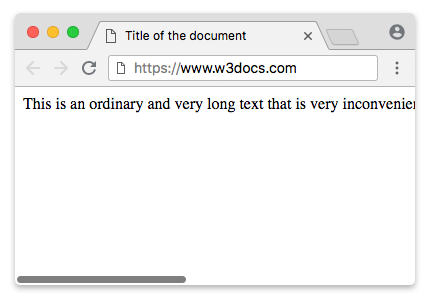
Because <nobr> is non-standard, there is no point in styling or scripting it through id/class global attributes — replace the element with a standard one (such as a <span> or <p>) carrying white-space: nowrap, and apply your attributes there.