HTML <applet> Tag
The obsolete HTML <applet> tag embedded Java applets in a page. Learn why it was removed, what replaced it, and see legacy examples.
The <applet> tag was used to embed a Java applet — a small program written in Java — directly into a web page. It is obsolete: no modern browser can run applets, so the tag does nothing in current browsers and should not be used in new pages. This chapter explains what <applet> did, why it disappeared, and what to use today.
The <applet> element could contain other HTML tags and text between its opening and closing tags. That fallback content was shown when the applet failed to load — which, today, is always.
Why <applet> is obsolete
Java applets relied on a browser plug-in (the Java Plug-in) loaded through the NPAPI plug-in interface. Two things ended that approach:
- NPAPI was removed from browsers. Chrome disabled NPAPI by default in 2015 and removed it entirely; Firefox dropped support for plug-ins other than Flash in 2017. Without NPAPI there is no way for the browser to host the Java Plug-in.
- The Java Plug-in reached end of life. Oracle announced its plan to retire the browser plug-in in 2016, formally deprecated it with JDK 9 (2017), and removed it from the JDK with JDK 11 (2018). Even with a compatible browser, there is no plug-in left to run.
These removals were driven by the browser security model: in-page native plug-ins ran with broad system access and were a frequent source of exploits, so vendors phased them out in favor of sandboxed web platform technologies.
What replaces Java applets today? There is no drop-in replacement, because the goal — running arbitrary native code in the page — is intentionally gone. Modern equivalents depend on what the applet did:
- For computation or games, port the logic to JavaScript and draw with the
<canvas>element or WebGL. - For performance-critical or existing native code, compile it to WebAssembly and call it from JavaScript.
- For embedding external media or documents, use the
<embed>or<object>element.
This element is a deprecated HTML tag in HTML 4.01 and is entirely obsolete in HTML5. It is removed from the standard and will not run in any modern browser. For new work, use JavaScript, WebAssembly, or the <object> / <embed> elements instead.
Syntax
The <applet> tag comes in pairs. The content is written between the opening (<applet>) and closing (</applet>) tags.
Example of the HTML <applet> tag:
HTML applet Code 1
<!DOCTYPE html>
<html>
  <head>
    <title>Title of the document</title>
  </head>
  <body>
    <applet code="game.class" align="left" archive="game.zip" height="250" width="350">
      <param name="difficulty" value="easy" />
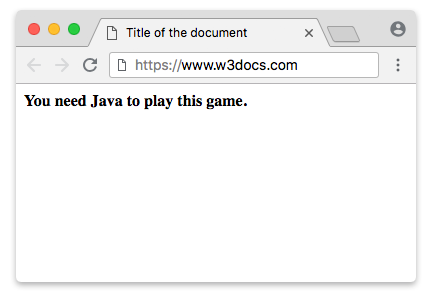
      <b>You need Java to play this game.</b>
    </applet>
  </body>
</html>This is a legacy example for reference only. Because no current browser can load Java applets, the live preview will be empty — modern browsers display only the fallback content (here, the bold text) or nothing at all. The <param> tag passed configuration values to the applet.
Result
The screenshot below shows how a working applet once looked in an old browser with the Java Plug-in installed.
Legacy replacement with the HTML <object> tag:
In HTML 4.01, the <object> element was suggested as the standard replacement for <applet>. The Java-specific codetype and classid values shown below are themselves obsolete and no longer run in any browser — they are documented only to show the historical migration path, not as working code.
HTML object example (legacy)
<!DOCTYPE html>
<html>
  <head>
    <title>Title of the document</title>
  </head>
  <body>
    <object codetype="application/java" classid="java:programmingtutorials.class" height="200" width="200">Programming Tutorials</object>
  </body>
</html>Attributes
The attributes below applied to the <applet> element only. They are obsolete and are not part of any current HTML standard — they will have no effect in modern browsers. This table is for historical reference.
| Attribute | Value | Description |
|---|---|---|
| align | left right top bottom middle baseline | Is used to position the applet according to other elements. |
| alt | text | Is used to create an alternate text for the applet. |
| archive | URL | Is used to define the archive file's location. |
| code | URL | Is used to define the Java applet's name. |
| object | name | Is used to define a reference to a serialized representation of an applet. |
| codebase | URL | Gives a relative base URL for applets specified in the code attribute. |
| height | pixels | Defines the height of the applet. |
| hspace | pixels | Is used to define the horizontal space around the applet. |
| name | name | Is used to give a name for the applet. |
| vspace | pixels | Is used to define vertical space around an applet. |
| width | pixel | Is used to define the width of an applet. |