HTML <acronym> Tag
The <acronym> tag tells the browser that the characters it contains are an acronym or abbreviation. Learn with syntax and examples.
The <acronym> tag was used to define an acronym or abbreviation. To provide the full phrase, the global title attribute is used, which displays as a tooltip when you hover over the text.
This page explains what <acronym> did, why it was removed from HTML5, and how to use the modern <abbr> element instead — including the accessibility details you need to get right.
The <acronym> tag is a deprecated HTML tag and not supported in HTML5. Use the <abbr> tag instead.
Why <acronym> was removed from HTML5
HTML once had two elements for shortened words: <acronym> for acronyms (a shortening you say as a single word, such as NASA or SCUBA) and <abbr> for abbreviations (any shortened form, such as Dr. or HTML). In practice this distinction caused more confusion than it solved — authors disagreed about whether something was an "acronym" or an "abbreviation," and screen readers had no useful way to act on the difference.
HTML5 simplified this by keeping only <abbr>, which marks up both abbreviations and acronyms. Because every acronym is also an abbreviation, the dedicated <acronym> element became redundant and was dropped from the specification.
Syntax
The <acronym> tag comes in pairs. The content is written between the opening (<acronym>) and closing (</acronym>) tags.
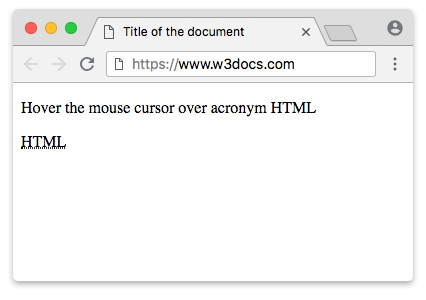
Example of the HTML <acronym> tag:
HTML acronym Tag
<!DOCTYPE html>
<html>
  <head>
    <title>Title of the document</title>
  </head>
  <body>
    <p>Hover the mouse cursor over acronym HTML</p>
    <acronym title="Hyper Text Markup Language">HTML</acronym>
  </body>
</html>In the following example, the <abbr> tag is used instead of <acronym>. The browser renders the characters within the <abbr> tag as an abbreviation or an acronym. The title attribute should always hold the full expanded form of the term — this is the text assistive technology can announce and that browsers show as a tooltip.
Example of the HTML <abbr> tag:
HTML abbr tag
<!DOCTYPE html>
<html>
  <head>
    <title>Title of the document</title>
  </head>
  <body>
    <p><abbr title="Universal Resource Locator">URL</abbr> - This is a special form of designating an individual resource address on the Internet </p>
  </body>
</html>Abbreviation vs. acronym
The two terms overlap, which is exactly why HTML5 merged them:
- An abbreviation is any shortened form of a word or phrase, such as Dr. for "Doctor" or etc. for "et cetera."
- An acronym is a specific kind of abbreviation built from the first letters of a phrase and pronounced as a single word, such as NASA or RADAR.
The <abbr> element handles both. You wrap the short form in <abbr> and put the full expansion in the title attribute — the browser does not need to know whether it is technically an acronym:
<p>
  <abbr title="HyperText Markup Language">HTML</abbr> is written with
  <abbr title="Cascading Style Sheets">CSS</abbr>.
</p>Browser support and how <acronym> behaves today
Even though <acronym> is obsolete, all major browsers still recognize it and render it as a fallback, so old pages do not break. Under the hood, browsers parse <acronym> into the same DOM interface as <abbr> (HTMLElement), which means scripts and styles treat the two consistently. Despite this, you should never use <acronym> in new code — validators flag it, and future tooling has no obligation to support it.
Default styling
Modern browsers apply no default styling to the <acronym> or <abbr> tags. Any visual appearance (such as underlines or small caps) must be defined explicitly with CSS.
Historically, some browsers rendered <abbr> and <acronym> with a dotted underline to hint that a tooltip was available. If you want that familiar look back, add it yourself:
abbr[title] {
  text-decoration: underline dotted;
  cursor: help;
}Accessibility
The title attribute is more than a tooltip — it is the accessible name of the abbreviation. When a screen reader encounters <abbr title="World Health Organization">WHO</abbr>, it can announce the full expansion instead of spelling out or mispronouncing the letters. Always provide the full term in title so the markup is meaningful to people who cannot see the tooltip.
title tooltips are not accessible to everyone. They only appear on mouse hover, so keyboard-only and touch-screen users never see them. Treat the tooltip as a progressive enhancement: if the expansion is essential, also spell it out in the surrounding text the first time the term appears, for example "the World Health Organization (<abbr title="World Health Organization">WHO</abbr>)."
Attributes
The <acronym> tag supports the Global Attributes and the Event Attributes.
How to style HTML <acronym> Tag
Since browsers do not apply default styling, you can use CSS to ensure a consistent appearance. Note that styling the <acronym> tag is obsolete since the tag itself is deprecated. The following example styles the <abbr> tag (the modern replacement) with a dotted underline and small caps:
abbr {
  text-decoration: underline dotted;
  font-variant: small-caps;
}