HTML <style> Tag
<style> tag defines the styling of the elements of website.Description, syntax, attributes and examples.
The <style> tag embeds CSS rules directly inside an HTML document. It defines how elements on that page should be displayed, without needing a separate stylesheet file. This is often called internal (or embedded) CSS.
To load CSS from a separate file instead, use the <link rel="stylesheet"> element.
A page can contain more than one <style> element, and the rules from all of them are combined.
Why <style> belongs in the <head>
The CSS inside a <style> tag is meant for the browser, not the reader, so it is placed inside the <head> element. There are good reasons to keep it there:
- It is render-blocking. The browser must read and apply your CSS before it can paint the page. Placing the styles in the
<head>lets the browser learn how everything should look before it draws the body. - It avoids FOUC (Flash Of Unstyled Content). If styles are defined late in the document, the browser may briefly show unstyled content and then re-style it, causing a visible flicker and layout shift.
HTML5 technically allows a <style> element inside the <body> (a browser will still apply the rules), but it is discouraged: it can trigger a re-flow and the FOUC described above. Keep your styles in the <head>.
In earlier versions of HTML and in XHTML, the type="text/css" attribute was required with the <style> tag. In HTML5 it is the default and can be omitted.
Three ways to deliver CSS
The <style> tag is only one of three ways to apply CSS. Choosing the right one matters:
| Method | How | Best for |
|---|---|---|
Inline style attribute | <p style="color: red;"> | A single one-off override on one element. Hard to maintain and has the highest specificity, so use sparingly. |
Internal <style> | A <style> block in the <head> | Styles needed by one page only, or critical CSS you want to inline to avoid an extra request. |
External <link rel="stylesheet"> | A separate .css file | Styles shared across many pages. Cached by the browser and keeps content separate from presentation — the usual choice for real sites. |
See HTML Styles for a fuller comparison.
Syntax
The <style> tag comes in pairs. The content is written between the opening (<style>) and closing (</style>) tags.
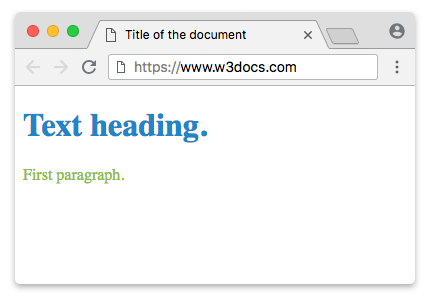
Example of the HTML <style> tag:
HTML <style> tag
<!DOCTYPE html>
<html>
  <head>
    <title>Title of the document</title>
    <style>
      h1 {
        color: #1c87c9;
      }
      p {
        color: #8ebf42;
      }
    </style>
  </head>
  <body>
    <h1>Text heading.</h1>
    <p>First paragraph.</p>
  </body>
</html>The selectors (h1, p) inside the block target elements in the body, and the declarations between the braces set their styles.
Result
Applying styles conditionally with media
The media attribute lets a <style> block apply only when its media query matches — for example only on small screens, only on screens (not print), or only in print. Rules in a block whose query doesn't match are ignored.
<!DOCTYPE html>
<html>
  <head>
    <title>Title of the document</title>
    <!-- Always applies -->
    <style>
      p {
        color: #1c87c9;
      }
    </style>
    <!-- Applies only on screens up to 600px wide -->
    <style media="screen and (max-width: 600px)">
      p {
        color: #8ebf42;
        font-size: 20px;
      }
    </style>
  </head>
  <body>
    <p>Resize the window: this text turns green and grows on narrow screens.</p>
  </body>
</html>You can do the same thing on the <link> element (<link rel="stylesheet" media="..." href="...">).
Attributes
| Attribute | Value | Description |
|---|---|---|
| media | media_query | Specifies the media for which the styles apply, e.g. screen and (max-width: 600px). If omitted, the styles apply to all media. |
| type | text/css | Specifies the MIME type of the style sheet. Optional in HTML5, since text/css is the default. |
The obsolete scoped attribute
You may still see references to a scoped attribute, which was meant to limit a <style> block's rules to the parent element and its descendants. It was never widely implemented and has been removed from the HTML standard — do not use it. To scope CSS today, use one of these modern approaches instead:
- Shadow DOM (via custom elements / web components), where styles are fully encapsulated and don't leak in or out.
- Scoped class names — a unique class prefix per component, applied by hand or generated by tools such as CSS Modules.