HTML <strike> Tag
The obsolete HTML <strike> tag rendered strikethrough text. Learn why it was removed and how to replace it with <s>, <del>, or CSS.
The <strike> tag was once used to render text with a horizontal line through the middle (strikethrough).
The <strike> element is a deprecated HTML tag and is obsolete in HTML5. Do not use it in new documents. Use <del>, <s> or CSS instead.
This page explains what <strike> did, why it was removed, and — most importantly — exactly what to use in its place. Whether you should reach for <del>, <s>, or plain CSS depends on what the strikethrough means, so each replacement is shown with a working example below.
Why <strike> was removed
HTML5 dropped <strike> because it only described how text should look, not what it means. Modern HTML separates meaning (markup) from appearance (CSS). A line through text can mean very different things:
- The text was deleted in an edit → use
<del>(often paired with<ins>for the replacement). - The text is no longer accurate or relevant, but is kept for context → use
<s>. - The line is purely visual with no semantic meaning → use CSS
text-decoration: line-through.
Picking the right element also helps assistive technologies and search engines understand your content, which a generic <strike> never did.
What the old <strike> looked like
The <strike> tag came in pairs, with content between the opening (<strike>) and closing (</strike>) tags. Browsers still render it for legacy support, but you should not write new code like this:
<!-- Obsolete — do not use in new documents -->
<p><strike>I am studying at the school.</strike></p>
<p>I am studying at the university.</p>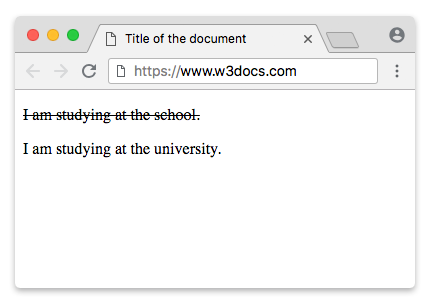
Migrating from <strike>
Replace every <strike> based on the meaning of the struck-through text.
Option 1: <del> for deleted content (with <ins>)
Use <del> when text was removed during an edit. Pair it with <ins> to show the replacement — a classic example is a discounted price.
<!DOCTYPE html>
<html>
  <head>
    <title>Title of the document</title>
  </head>
  <body>
    <p>Price: <del>$50.00</del> <ins>$39.99</ins></p>
  </body>
</html>The old price is marked as deleted, and the new one is marked as inserted — the relationship between them is now meaningful, not just visual.
Option 2: <s> for no-longer-relevant content
Use <s> for content that is no longer accurate or relevant but is kept on the page for context — for example, a completed or unavailable item in a list. It is not for document edits; use <del> for those.
<!DOCTYPE html>
<html>
  <head>
    <title>Title of the document</title>
  </head>
  <body>
    <ul>
      <li><s>Buy milk</s> (already done)</li>
      <li>Buy bread</li>
      <li>Buy eggs</li>
    </ul>
  </body>
</html>Option 3: CSS line-through for purely visual strikethrough
If the line carries no semantic meaning, use the CSS text-decoration property on a non-semantic element such as a <span> or <p>. Never style the obsolete strike element — apply the rule to valid markup instead.
<!DOCTYPE html>
<html>
  <head>
    <title>Title of the document</title>
    <style>
      .struck {
        text-decoration: line-through;
      }
    </style>
  </head>
  <body>
    <p><span class="struck">I am studying at the school.</span></p>
    <p>I am studying at the university.</p>
  </body>
</html>