HTML <big> tag
The <big> tag is used to make the text appear larger than the surrounding text. This tag is not supported in HTML, see what to use instead.
The <big> element made text render one font size larger than the surrounding text. It increased the font size by one step compared to its parent element, with the browser deciding exactly how big "one step" was. The text could never grow larger than the browser's maximum font size.
This page explains what <big> did, why it was removed from HTML5, and the modern CSS you should use in its place.
Do not use <big> in new projects. It is a deprecated HTML tag and was removed entirely from HTML5 — browsers may still render it for backward compatibility, but it is invalid markup and can stop working at any time. Use CSS that controls font size instead.
Why <big> was removed
<big> is a presentational element: it describes how text should look, not what it means. HTML5 is built around a clear separation of concerns — HTML for structure and meaning, CSS for presentation. Mixing the two makes pages harder to maintain (you have to edit markup to restyle) and harder for assistive technology and search engines to interpret.
Tags like <big> come from the early web of the 1990s, before CSS was widely supported, when sizing text inline was the only practical option. Once CSS matured, presentational tags became redundant. HTML5 dropped a whole family of them, including <big>, <font>, <center>, and <strike>. The takeaway: size and style belong in a stylesheet, not in the tag name.
Note that <small> was kept in HTML5 — but only because it was given real semantic meaning (side comments, fine print). There was no equivalent meaning to justify keeping <big>, so it was removed.
Syntax (legacy)
The <big> tag came in pairs. The content went between the opening (<big>) and closing (</big>) tags, placed inside the <body>.
Example of the deprecated <big> tag
This example is for reference only. <big> is invalid in HTML5 — see the CSS replacement below.
<!DOCTYPE html>
<html>
  <head>
    <title>Title of the document</title>
  </head>
  <body>
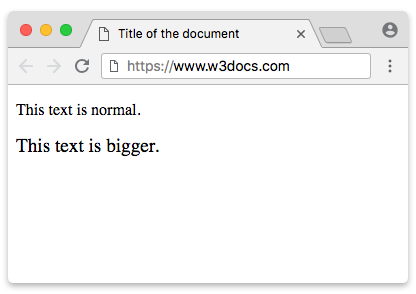
    <p>This text is normal.</p>
    <p><big>This text is bigger.</big></p>
  </body>
</html>Result
The CSS replacement
The closest, most faithful replacement is the font-size keyword larger. It does exactly what <big> did — bump the text up one step relative to its parent — but as a style rule:
.big {
  font-size: larger;
}Apply it to a <span> (an inline element with no meaning of its own), and you get <big>'s behavior without the deprecated tag:
<!DOCTYPE html>
<html>
  <head>
    <title>Title of the document</title>
    <style>
      .big {
        font-size: larger;
      }
    </style>
  </head>
  <body>
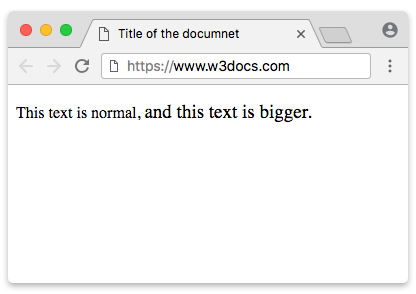
    <p>This text is normal,
      <span class="big">and this text is bigger.</span>
    </p>
  </body>
</html>Result
Choosing an explicit size
larger is convenient but vague — you don't control how much bigger the text gets. For predictable, scalable typography, set the size explicitly. Prefer relative units over fixed pixels so the text respects the user's preferred font size and zoom:
p {
  font-size: 1rem;     /* base size — relative to the root <html> font size */
}
.big-em {
  font-size: 1.2em;    /* 1.2× the parent element's size */
}
.big-rem {
  font-size: 1.2rem;   /* 1.2× the root size, ignoring the parent */
}
.big-percent {
  font-size: 120%;     /* same idea as 1.2em, written as a percentage */
}Why these instead of a bare 19px?
emscales relative to the parent's font size — ideal for nudging text up "one step," like<big>did.remscales relative to the root (<html>) font size — consistent everywhere, unaffected by nesting.%behaves likeem(relative to the parent) and reads naturally to many authors.- A fixed
pxvalue ignores the user's browser settings; users who increase their default font size for readability won't see your "bigger" text scale with it. Relative units keep your design accessible.
Attributes
<big> supported only the Global Attributes — it had no attributes of its own. In practice this barely matters: because the tag is deprecated, the only correct advice is not to use it at all.
What to do today
- Never reach for
<big>(or<font>,<center>,<strike>) in new HTML. - To enlarge text, use the CSS
font-sizeproperty —largerfor a quick one-step bump, or a relative unit (em/rem/%) for precise, accessible control. - If the larger text carries meaning (a heading, emphasis), use a semantic element such as a heading or
<strong>and style it with CSS — don't just make plain text bigger.