HTML <mark> tag
The HTML <mark> tag highlights text as relevant in the current context. Learn its use cases, attributes and styling with examples.
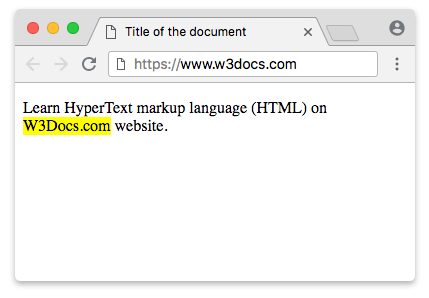
The <mark> tag is one of the HTML5 elements. It marks a span of text as relevant or highlighted for reference, the way you would run a highlighter pen over words on a printed page. Browsers render it with a yellow background by default.
This page explains what <mark> means semantically, when to reach for it instead of a plain <span>, the three classic use cases, and how it compares with <strong>, <b>, and <em>.
Why <mark> and not a <span>?
A <span> is a generic container with no meaning — it's purely a styling hook. You could give a <span> a yellow background and it would look highlighted, but to a screen reader, search engine, or any other machine it would still be ordinary text.
<mark> is different because it carries semantics: it tells the browser and assistive technologies "this part of the text is notable or relevant in the current context." The highlight is part of the meaning of the document, not just its appearance.
Use this rule of thumb:
- If the highlight conveys meaning (this text matched the search, this passage is the point being made) → use
<mark>. - If you only want a colored background for decoration → use a
<span>with CSS.
When to use <mark>
The spec describes three main scenarios:
- Search-result highlighting. Mark the words in a passage that match what the user searched for, so they can quickly scan to the relevant spot.
- Relevance inside a quotation. When you quote text written by someone else,
<mark>highlights the part that is relevant to why you are quoting it — an emphasis the original author did not add. - User-highlighted content. Represent text the reader has highlighted, similar to a "highlight" feature in a reading or annotation app.
Never use <mark> for syntax highlighting or purely visual coloring. For that, use a <span> with appropriate CSS instead.
Syntax
The <mark> tag comes in pairs. The content is written between the opening (<mark>) and closing (</mark>) tags.
Example of the HTML <mark> tag:
HTML <mark> Tag
<!DOCTYPE html>
<html>
  <head>
    <title>Title of the document</title>
  </head>
  <body>
    <p>Learn HyperText markup language (HTML) on <mark>W3Docs.com</mark> website.</p>
  </body>
</html>Result
Real-world example: highlighting search matches
Imagine a search page where the user searched for the word highlight. You wrap each matching word in a paragraph with <mark> so the result is easy to scan. The example below also customizes the highlight color and adds a @media print rule, because the default yellow background is often dropped when a page is printed:
<!DOCTYPE html>
<html>
  <head>
    <title>Search results</title>
    <style>
      /* Custom highlight color instead of the default yellow */
      mark {
        background-color: #c8f7c5;
        color: #14532d;
        padding: 0 2px;
        border-radius: 3px;
      }
      /* Make sure highlights are still visible when printed */
      @media print {
        mark {
          background-color: transparent;
          color: inherit;
          text-decoration: underline;
        }
      }
    </style>
  </head>
  <body>
    <p>
      You can <mark>highlight</mark> search terms so the user finds them
      fast. Each <mark>highlight</mark> marks where the query matched.
    </p>
  </body>
</html>The <mark> and other HTML tags
Several HTML elements look similar to <mark> but mean different things. Choosing the right one matters for accessibility and SEO, because each communicates a distinct intent to browsers and assistive technologies.
The HTML <strong> tag
The <strong> tag marks text as having strong importance, seriousness, or urgency — for example an error or a warning. Browsers render it bold by default. Use <strong> when the text matters, not just when it should be highlighted.
The HTML <b> tag
The <b> tag also renders bold, but unlike <strong> it carries no importance. It draws attention for stylistic reasons only — such as keywords or a product name — without implying the text is more significant.
The HTML <em> tag
The <em> tag stresses emphasis on a word, the way you change your tone of voice when speaking. It is rendered as italics by default and can change the meaning of a sentence.
In short: <mark> = relevant/highlighted here, <strong> = important, <b> = visually bold, no meaning, <em> = spoken emphasis.
Attributes
The <mark> tag has no element-specific attributes — it accepts only the Global attributes and the Event Attributes.
How to style an HTML <mark> Tag
You can change the default yellow background using the CSS background-color property:
mark {
  background-color: #ffeb3b;
  color: #333;
}