HTML <figcaption> Tag
The <figcaption> tag defines a title or a caption for the <figure> tag. Detailed description, attributes and examples of use.
The <figcaption> tag is one of the HTML5 elements. It defines a caption or description for the contents of a <figure> element. It must be the first or last child of the <figure>. As the first child it renders the caption above the figure content; as the last child it renders below.
A <figure> may contain only one <figcaption>, but the figure itself can wrap many kinds of self-contained content: an <img>, a <code> listing, a <table>, a <blockquote>, a chart, and more.
Why use <figcaption> instead of a <p>?
You could place a <p> next to an image and visually it would look the same. The difference is semantic and matters most for accessibility.
When a caption is marked up as <figcaption> inside a <figure>, the browser programmatically associates the caption with the figure. Assistive technology such as screen readers announces the two together — the reader hears that the content is a figure and hears its caption as the label for it. A bare <p> is just unrelated text that happens to sit nearby; nothing tells the machine it belongs to the image.
So reach for <figure> + <figcaption> whenever the caption is part of the content (and you'd expect them to move together if the page were reflowed). Use a plain <p> for ordinary paragraph text.
Syntax
The <figcaption> tag comes in pairs. The content is written between the opening <figcaption> and closing (</figcaption>) tags, and the element lives inside a <figure>:
<figure>
  <!-- figure content, e.g. an image, code block, or table -->
  <figcaption>Caption text</figcaption>
</figure>Example of the HTML <figcaption> tag:
HTML <figcaption> Tag
<!DOCTYPE html>
<html>
  <head>
    <title>Title of the document</title>
  </head>
  <body>
    <p>Image of a baby</p>
    <figure>
      <img src="/uploads/media/default/0001/01/25acddb3da54207bc6beb5838f65f022feaa81d7.jpeg" alt="A Cute Baby" width="250" height="200" />
      <figcaption>Fig.1 – Cute baby</figcaption>
    </figure>
  </body>
</html>Result
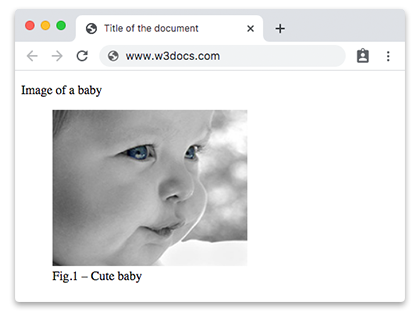
Caption first vs. caption last
Move the <figcaption> to control where the caption appears. Nothing else changes — only its position among the figure's children.
Caption below the image (last child):
<figure>
  <img src="diagram.png" alt="Request flow diagram" width="400" height="250" />
  <figcaption>Fig.1 – How a request travels through the app.</figcaption>
</figure>Caption above the image (first child):
<figure>
  <figcaption>Fig.1 – How a request travels through the app.</figcaption>
  <img src="diagram.png" alt="Request flow diagram" width="400" height="250" />
</figure>Using <figcaption> beyond images
A <figure> is for any self-contained unit you might caption — it is not limited to images.
Captioning a code listing
Wrap a <pre> / <code> block so the listing and its label are tied together:
<figure>
  <figcaption>Listing 1 – A minimal "Hello, world" in JavaScript.</figcaption>
  <pre><code>console.log("Hello, world!");</code></pre>
</figure>Captioning a table
<figure>
  <figcaption>Table 1 – HTTP status codes used by the API.</figcaption>
  <table>
    <tr><th>Code</th><th>Meaning</th></tr>
    <tr><td>200</td><td>OK</td></tr>
    <tr><td>404</td><td>Not Found</td></tr>
  </table>
</figure>Note: a <table> has its own built-in caption element, <caption>, which is the more conventional choice for a single data table. Use <figure>/<figcaption> when the table is one of several captioned figures in a document, or when you want a "Table 1" style label that reads as a figure.
Captioning a quotation
<figure>
  <blockquote>
    <p>The best way to predict the future is to invent it.</p>
  </blockquote>
  <figcaption>— Alan Kay</figcaption>
</figure>See the <blockquote> tag for more on quoting external sources.
Accessibility: alt is not a figcaption
It is easy to confuse the alt attribute of an image with a <figcaption>, but they serve different purposes and should not duplicate each other:
altis the image's text alternative. It replaces the image when it cannot be seen (broken link, slow connection, or a non-visual user). It describes what the image shows. A screen reader reads it in place of the picture.<figcaption>is a caption — supplementary information about the figure that a sighted reader also sees. It often adds context the image alone does not convey ("Fig.1 – Sales grew 20% year over year").
Both can apply to the same figure at once:
<figure>
  <img src="chart.png" alt="Bar chart of quarterly sales rising each quarter" />
  <figcaption>Fig.2 – Quarterly sales, 2025.</figcaption>
</figure>Here alt describes the visual ("a bar chart rising each quarter") so non-visual users get the data, while the <figcaption> adds the label everyone reads. Keep alt non-empty and descriptive even when a caption is present.
Attributes
The <figcaption> tag supports the Global Attributes and Event Attributes.
How to style an HTML <figcaption> Tag
By default, browsers render the <figcaption> element as a block-level element. You can customize its appearance using CSS:
figcaption {
  font-style: italic;
  color: gray; /* muted text so the caption reads as secondary */
  text-align: center;
  margin-top: 5px;
}A full runnable example, styling the caption and giving the figure a subtle frame:
<!DOCTYPE html>
<html>
  <head>
    <title>Styled figcaption</title>
    <style>
      figure {
        border: 1px solid lightgray;
        padding: 10px;
        display: inline-block;
        text-align: center;
      }
      figcaption {
        font-style: italic;
        color: gray;
        margin-top: 5px;
      }
    </style>
  </head>
  <body>
    <figure>
      <img src="/uploads/media/default/0001/01/25acddb3da54207bc6beb5838f65f022feaa81d7.jpeg" alt="A cute baby" width="250" height="200" />
      <figcaption>Fig.1 – Cute baby</figcaption>
    </figure>
  </body>
</html>