Source Code Management
On this page, you will find useful information about the source code management, read about its importance and find its main helpful features.
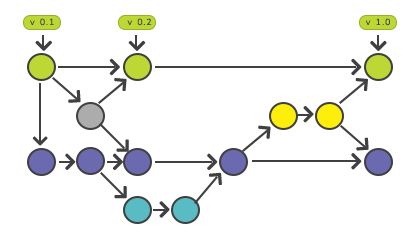
Source code management (SCM) is the discipline of tracking, recording, and coordinating every change made to a project's source code over time. This page explains what SCM is, why every team relies on it, how Git fits in, the workflow it enables, and the practices that keep a project's history clean.
What Is Source Code Management?
Source code management is the practice of tracking and managing changes to software code. It is almost always implemented with a version control system (VCS) — a tool that records every modification to a repository, attributes it to an author, timestamps it, and lets you move backward and forward through the project's history.
Git is the most widely used VCS today. It is distributed, meaning every developer keeps a full copy of the project history locally, so you can commit, branch, and inspect history without a network connection. Other systems exist (Subversion, Mercurial, Perforce), but the concepts on this page apply to all of them.
SCM and VCS are often used interchangeably. Strictly, SCM is the broader practice (history, branching, collaboration policies, code review), and a VCS like Git is the tool that implements it.
If you are new to Git, start with the Git introduction and learn how to create your first Git repository.
Why Source Code Management Matters
A VCS solves problems that become painful the moment more than one person — or more than one day of work — touches a codebase:
- Track changes – Every change is recorded automatically, attributed to an author, and documented with a commit message, creating a searchable historical record.
- Synchronization – Team members fetch the latest code from a shared repository, so everyone works from the same baseline.
- Backup and restore – Because each commit is a full snapshot, any file can be restored to a previous state at any time.
- Undoing – You can revert to any earlier state, from the most recent commit to a version created long ago, without losing the steps in between.
- Branching and merging – Work happens on isolated branches and is merged back once reviewed and approved.
- Conflict detection – When two people change the same lines, the VCS refuses to silently overwrite one with the other; it flags a merge conflict so a human can resolve it.
Without SCM, teams resort to zipping folders, emailing files, and naming things final_v2_REALLY_final.js — losing history and overwriting each other's work.
The Basic SCM Workflow
Most day-to-day work in Git follows the same loop: change files, stage them, commit a snapshot, and inspect the history. The example below runs a self-contained repository so you can see the cycle end to end.
# Create and enter a fresh project
mkdir scm-demo && cd scm-demo

# 1. Turn the folder into a repository
git init -q
git config user.email "[email protected]"
git config user.name "Dev"

# 2. Make a change
echo "console.log('hello');" > app.js

# 3. Stage the change, then record a snapshot (commit)
git add app.js
git commit -q -m "Add initial app"

# 4. Make a second change and commit it
echo "console.log('world');" >> app.js
git commit -q -am "Print world too"

# 5. Inspect the historical record
git log --onelineThe history now holds two snapshots, newest first (the short hashes on the left are generated per commit, so yours will differ):
6524bb9 Print world too
88e2f34 Add initial appEach git add moves changes into the staging area, and each git commit freezes the staged content into a permanent, named snapshot. The git log output is the historical record SCM gives you — two lines here, one per commit, each with a short hash and message. At any point you can run git status to see what is changed, staged, or untracked.
Branching and Merging
The feature that makes SCM powerful for teams is isolation through branches. Each developer (or each feature) gets a separate line of development; when the work is reviewed and ready, it is merged back into the main branch.
mkdir branch-demo && cd branch-demo
git init -q
git config user.email "[email protected]"
git config user.name "Dev"

echo "line 1" > notes.txt
git add notes.txt
git commit -q -m "Start notes"

# Remember the main branch name (main or master)
main=$(git branch --show-current)

# Create a branch, switch to it, add work there
git switch -c feature
echo "line 2 from feature" >> notes.txt
git commit -q -am "Add feature line"

# Go back to the main branch and merge the feature in
git switch -q "$main"
git merge -q feature

cat notes.txtAfter the merge, notes.txt contains the work from both branches:
line 1
line 2 from featureThe feature branch let the new line of work proceed without touching main, and git merge combined it back in. On a shared project you would also git clone the repository and git pull before starting, so you build on the latest code.
Best Practices
- Commit frequently, in small units. A commit is a snapshot; small, focused commits give you many safe points to return to and make history easy to read. Related commits can later be combined to keep the log clean.
- Always work from the latest version. Pull or fetch the shared code before you start so you build on current work and minimize merge conflicts.
- Write descriptive commit messages. A clear message that explains what changed and why becomes essential as a project grows and other people (including future you) read the log.
- Review before you commit. The staging area lets you collect and inspect edits before turning them into a snapshot — review the diff so each commit is deliberate.
- Use branches for isolation. Develop each feature or fix on its own branch and merge it only after review, keeping the main branch stable.
- Agree on a shared workflow. Establish team conventions for branching, reviewing, and merging. Common patterns are covered in Git workflows.