Introduction
On this page, you will find out the synonym of "saving" in Git, learn the main principles, read short descriptions of Git commands used while saving changes.
In everyday speech you "save" a document, but in Git the equivalent action is called committing. A commit records a permanent snapshot of your staged files and their changes in the repository's history. Unlike pressing Save in an editor, a commit does not overwrite the previous version — it adds a new entry to a timeline you can revisit, compare, or revert to at any point.
This page is a map of the commands you use to save changes locally and prepare them for sharing. Each section links to a dedicated chapter with full options and examples.
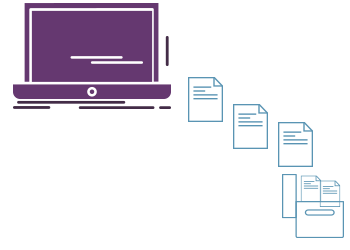
The three areas changes move through
To understand saving in Git, it helps to know that a file can live in three places at once:
- Working directory — the files you edit on disk.
- Staging area (also called the index) — a holding zone where you assemble exactly what the next commit will contain.
- Repository — the committed history, stored in the hidden
.gitfolder.
Saving changes means moving them from the working directory, through the staging area, and into the repository:
edit files        # changes live in the working directory
git add <file>    # move them into the staging area
git commit # record them permanently in the repositoryThe two-step add then commit flow is deliberate: it lets you commit only part of your work and leave the rest for later, producing focused, meaningful commits.
git add
The git add command moves changes from the working directory into the staging area. It tells Git which updates to include in the next commit. By itself git add records nothing permanent — you must follow it with git commit.
git add index.html      # stage a single file
git add src/            # stage everything under a directory
git add . # stage all changes in the current directory treeRun git status at any time to see which files are staged, modified, or untracked.
git commit
The git commit command records all currently staged changes as a new snapshot in the repository. Each commit is a permanent point in history that you can return to. Because only staged changes are captured, git add must run first.
git commit -m "Add contact form validation"Use a short, descriptive message in the imperative mood ("Add", "Fix", "Update"). If you omit -m, Git opens your configured editor so you can write a longer message.
git diff
The git diff command compares different states of your project so you can review exactly what you are about to save. By default git diff shows unstaged changes — the difference between your working directory and the staging area. Add --staged to see what is already staged and ready to commit.
git diff             # working directory vs. staging area (not yet staged)
git diff --staged # staging area vs. last commit (about to be committed)Reviewing a diff before committing is the best way to avoid saving debug code or accidental edits.
git stash
The git stash command temporarily shelves uncommitted changes so your working directory becomes clean — useful when you need to switch tasks or pull updates without committing half-finished work. The changes are saved on a stack you can re-apply later.
git stash        # set aside current changes and revert to a clean tree
git stash pop # re-apply the most recent stash and remove it from the stack.gitignore
Some files should never be committed — build output, dependencies, secrets, or OS metadata. Git reads a file named .gitignore to decide which paths to skip. There is no git ignore command; you create and commit this file yourself, listing patterns Git should exclude from tracking:
# Dependencies
node_modules/
# OS files
.DS_Store
Thumbs.db
# Secrets
.env
Note that .gitignore only affects files Git is not already tracking. To stop tracking a file that was committed before being ignored, use git rm --cached.
Typical workflow
A standard sequence for saving and sharing changes looks like this:
git status                          # see what changed
git add .                           # stage the changes
git diff --staged                   # review what is about to be committed
git commit -m "Implement feature"   # save a permanent snapshot
git push origin main # upload commits to the remoteThe first four steps save your work locally; git push is what shares it with a remote server such as GitHub.
Undoing before you save
If you stage something by mistake, you can move it back out of the staging area without losing your edits:
git restore --staged <file>    # unstage, keep the changes in the working directory
git restore <file> # discard working-directory changes (cannot be undone)For more ways to back out of changes after committing, see git reset.