git alias
On this page, you can find information about Git aliases, see how to create them, as well as to learn to use them for creating Git commands.
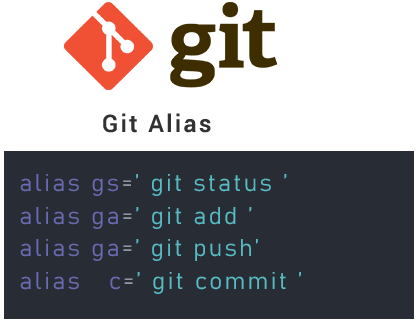
What is a Git alias?
A Git alias is a custom shortcut that maps a short, memorable name to a longer Git command (or even a chain of commands). Once defined, typing git co can run git checkout, saving keystrokes and reducing typos on commands you use dozens of times a day.
There is no dedicated git alias command. Instead, aliases are stored as ordinary configuration entries, so you create them with the git config command or by editing a Git config file directly. Because they are just config, aliases respect Git's normal scope rules: define them globally (in ~/.gitconfig) so every repository can use them, or locally (in a single repo's .git/config) when an alias only makes sense for that project.
This page covers both ways of creating aliases, how to verify them, how to alias commands that take arguments, how to run external shell commands from an alias, and a handful of aliases worth adding today.
Creating aliases with git config
The most common way to add an alias is the git config command with the --global flag, which writes to ~/.gitconfig so the alias is available in every repository:
git config --global alias.co checkoutThe general form is git config --global alias.<shortcut> "<command>". The example above lets you run git co anywhere git checkout is expected. Drop --global to scope the alias to the current repository only.
You can confirm the alias was saved with git config --list, which prints every active configuration value:
git config --listThe new entry appears in the output as:
alias.co=checkoutFrom now on the alias behaves exactly as if you had typed the full command. Any extra arguments you pass are forwarded to the underlying command:
git co -b new-featureThis runs git checkout -b new-feature, creating and switching to a branch named new-feature.
Creating aliases by editing .gitconfig
Because aliases are plain config, you can also add them by editing the config file directly. Open ~/.gitconfig (global) or a repository's .git/config (local) and add an [alias] section:
[alias]
co = checkout
ci = commit
st = statusEach line under [alias] is shortcut = command. This is exactly what git config --global alias.co checkout produces, so the two methods are interchangeable — editing the file is handy when you want to add several aliases at once.
Aliasing commands with arguments
Aliases work well for commands that always take the same flags. For example, a one-line, decorated log:
git config --global alias.lg "log --oneline --graph --decorate --all"Running git lg then prints a compact, graphed history. See git log for what each flag does.
Wrap the command in quotes when it contains spaces or flags, otherwise the shell hands the extra words to git config instead of storing them as part of the alias.
Running shell commands from an alias
To run an external program (not a Git subcommand), prefix the alias value with !. Git then executes the rest in a shell:
git config --global alias.visual "!gitk"This is also how you combine multiple steps. The alias below stages everything and commits in one go, where $1 is the commit message you pass:
git config --global alias.ac '!f() { git add -A && git commit -m "$1"; }; f'Now git ac "fix typo" runs git add -A followed by git commit -m "fix typo".
Useful Git aliases
Here are some aliases that shorten everyday commands. Add them with git config --global alias.<name> "<command>":
| Alias | Expands to | Description |
|---|---|---|
co = checkout | git checkout | Switches branches or restores files. |
cob = checkout -b | git checkout -b | Creates and checks out a new branch. |
ci = commit | git commit | Records staged changes. See git commit. |
st = status -sb | git status -sb | Shows a short, branch-aware status. |
f = fetch -p | git fetch -p | Fetches and prunes stale remote-tracking branches. |
p = push | git push | Pushes changes to a remote. |
bd = branch -d | git branch -d | Deletes a branch only if it is merged. |
ba = branch -a | git branch -a | Lists both remote-tracking and local branches. |
bD = branch -D | git branch -D | Force-deletes a branch. |
dc = diff --cached | git diff --cached | Shows the staged changes. |