git clone
On this page you can find out useful information about Git clone command, its usage, most common configuration options, as well as Git URLs.
What git clone does
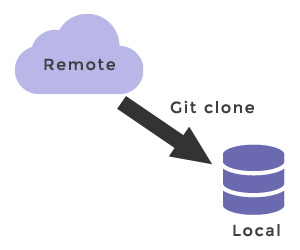
The git clone command copies an existing repository into a new directory on your machine. In a single step it:
- Creates the target directory and initializes a new local repository inside it (you do not need to run git init first).
- Downloads the full project history — every commit, branch, and tag.
- Adds the source repository as a remote named
origin. - Creates a remote-tracking branch for each branch on the remote and checks out the default branch (usually
mainormaster) into your working directory.
This is how almost every developer obtains a working copy of a shared project, so git clone is usually the very first Git command you run on a new project.
Basic usage
The general form of the command takes a repository URL and, optionally, a directory name:
git clone <repo> [<directory>]For example, cloning a project over SSH from a server reachable at example.com using the username x_person:
git clone ssh://[email protected]/path/to/team-project.git
cd team-project
# Start editing files, committing snapshots, and pushing to the remoteThis initializes a new repository in the team-project folder and fills it with the contents of the central repository. After cloning you can cd into the project and begin modifying files, committing snapshots, and interacting with the remote.
Cloning into a specific folder
By default Git names the new directory after the repository. To clone into a folder of your choice, add a <directory> argument:
git clone https://example.com/team-project.git my-project
cd my-projectThis clones the repository into my-project instead of team-project.
Cloning a single branch or tag
Pass --branch (short: -b) with a branch name or tag to check out something other than the remote's default branch:
# Check out the develop branch instead of the default
git clone --branch develop https://example.com/team-project.git

# Check out the state at tag v1.0 (results in a detached HEAD)
git clone --branch v1.0 https://example.com/team-project.gitWhen you pass a tag, the working tree is checked out at that tag in a detached HEAD state, since a tag is not a branch you can commit to.
Useful clone options
These options let you tailor what git clone downloads and how the new repository behaves.
--depth (shallow clone)
--depth <n> creates a shallow clone that keeps only the latest <n> commits instead of the entire history. This is much faster for large repositories and is common in CI pipelines where the full history is not needed.
git clone --depth 1 https://example.com/team-project.git--single-branch
--single-branch downloads the history of only one branch (the default branch, or the one named by --branch) instead of all branches. It is implied by --depth.
git clone --single-branch --branch main https://example.com/team-project.git--recurse-submodules
If the project uses submodules, --recurse-submodules clones and checks them out in the same step, so you don't have to run git submodule update --init afterward.
git clone --recurse-submodules https://example.com/team-project.git-o (rename the remote)
By default the source is added as the remote origin. Use -o <name> to choose a different name. See git remote for managing remotes afterward.
git clone -o upstream https://example.com/team-project.git--bare and --mirror
--barecreates a copy of the repository without a working directory. The resulting repository contains the project history and can be pushed to or pulled from, but it has no checked-out files to edit. This is the format used for repositories that live on a server.--mirrorimplies--barebut goes further: it copies all refs (branches, tags, notes, remote-tracking refs) and sets up the remote so the mirror stays an exact reflection of the source. It is mainly used to move or back up a repository.
git clone --bare https://example.com/team-project.git
git clone --mirror https://example.com/team-project.gitDifference between git init and git clone
git init and git clone are often confused. The key distinction:
git initcreates a brand-new, empty local repository — there is no remote and no history yet.git clonecopies an existing remote repository to your machine, bringing its full history and configuringoriginautomatically.
git clone does not require you to run git init first; it initializes the local repository and sets up remote-tracking branches for you.
Git URLs
Git has its own URL syntax for telling commands where a remote repository lives. Because git clone almost always targets a remote, understanding these URLs is important. Git supports four families of protocols: Git, SSH, HTTPS, and Local. All of them except HTTPS require Git to be installed and running on the server.
Git protocol
The Git protocol is unique to Git. It is served by a daemon that listens on port 9418 and offers anonymous, read-mostly access similar to SSH but without any authentication.
git clone git://host.xz/path/to/repo.gitIts advantage is fast transfer. Its drawbacks are the lack of authentication (so it is rarely used for writes) and a more involved server setup.
SSH protocol
Secure Shell (SSH) is a network protocol for logging in from one computer to another securely. It is the most common protocol for authenticated read/write access, and SSH access is configured by default on most hosting platforms. You must establish credentials (an SSH key) with the server before connecting.
git clone ssh://user@server/project.git

# Many hosts also accept the shorter "scp-like" form:
git clone user@server:project.gitSSH encrypts and authenticates all traffic, compresses data before transfer, and is easy to configure. Its main limitation is that it does not support anonymous access. See our SSH key section for setting up keys.
HTTPS protocol
HTTPS (HyperText Transfer Protocol Secure) is the protocol used to transmit data securely over the web, and Git can share repositories over it.
git clone https://example.com/gitproject.gitHTTPS is simple to set up, encrypts the transfer, and passes through corporate firewalls easily (port 443 is almost always open), which makes it one of the most widely used protocols. Its main drawback is a slightly higher overhead from encryption, which can make cloning marginally slower than the raw Git protocol.
Local protocol
With the Local protocol the "remote" repository is simply another directory on the same disk or a shared file system. When team members share a file system they can clone, push, and pull through plain paths.
git clone /opt/git/project.git

# Or with an explicit file:// URL:
git clone file:///opt/git/project.gitRelated commands
After cloning, these chapters cover the everyday workflow:
- git fetch and git pull — download and integrate updates from the remote.
- git branch and git checkout — create and switch between branches.
- git remote — view and manage the
originremote thatgit cloneset up.