git commit --amend
On this page you can find useful information about git commit --amend command, find out some ways of its usage, as well as see a few examples.
What git commit --amend does
It is easy to finish a commit and immediately notice a typo in the message, or realize you forgot to stage a file. The git commit --amend command is the quickest way to fix those mistakes: it lets you edit the most recent commit on the current branch.
Instead of stacking a tiny follow-up commit on top, --amend rolls your staged changes (and, optionally, a new message) into the previous commit. The result is a single, clean commit that looks as if you had gotten it right the first time.
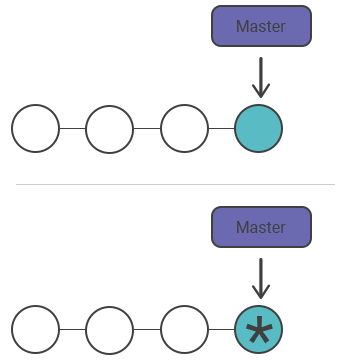
It replaces the commit, it does not edit it
This is the most important thing to understand about --amend. Git commits are immutable, so Git cannot truly change an existing one. Instead, --amend builds a brand-new commit from the current tree plus the parent of the old commit, then moves the branch pointer to it. The original commit is left dangling (unreferenced) until garbage collection eventually removes it.
Because the new commit has a different snapshot and/or message, it also gets a different commit hash. That single fact explains every rule below, including why amending shared commits is dangerous.
Changing the most recent commit message
If you committed with a wrong or unclear message, run git commit --amend to rewrite it without touching the snapshot. Pass the new message inline with -m to skip the editor:
git commit --amend -m "Fix typo in login validation"Run git commit --amend with no options and Git opens your editor pre-filled with the old message so you can edit it interactively. This is handy for longer messages with a body.
Adding forgotten changes to the last commit
Suppose you meant to commit two files in a single snapshot but forgot to stage one of them. Stage the missing file, then amend:
# You edit project.py and text.py, but only commit project.py
git add project.py
git commit -m "Add data processing helpers"

# You realize text.py belongs in that same commit
git add text.py
git commit --amend --no-editThe --no-edit flag keeps the existing commit message, so Git silently folds the newly staged text.py into the previous commit. Without --no-edit, your editor opens so you can update the message at the same time.
You can combine both: change the message and include forgotten files in one go.
git add forgotten-file.js
git commit --amend -m "Add feature with all required files"Confirm the result with git log
After amending, inspect the branch with git log to verify the hash changed and the old commit is gone from the history:
git log --oneline -1A different short hash next to your message confirms the amend created a new commit rather than editing the old one in place.
Common gotchas
--amendonly touches the latest commit. To rewrite an older commit, use an interactive rebase (git rebase -i) instead.- Anything not staged is left out. Amending commits the current index, so unstaged edits stay uncommitted. Run
git addfirst. - The author date is preserved by default, but the committer date updates. Add
--reset-authorif you also want to refresh the author identity and date.
Avoid amending pushed commits
Because amending produces a commit with a new hash, the rewritten commit no longer matches what others have pulled. Never amend a commit that has already been pushed and shared with teammates: their history still points at the old hash, and a normal git push will be rejected. Forcing the push (git push --force) can then overwrite or duplicate their work.
The danger is the same as resetting a public snapshot: both rewrite history that others depend on. Keep --amend for local, unpushed commits, and you avoid the problem entirely.
Only amend commits that live solely on your machine. Once a commit is pushed and pulled by others, rewriting it with --amend will break their history.