
The CSS stroke-width property specifies the width of the stroke on the element.
The presentation attribute will be overridden: e.g. <path stroke-width="3px" ... />. The inline style won’t be overridden: e.g. <path style="stroke-width: 3px;" ... />.
The stroke-width is a presentation attribute and can be applied to any element but can have an effect only on the following elements: <altGlyph>, <circle>, <ellipse>, <ine>, <path>, <polygon>, <polyline>, <rect>, <text>, <textPath>, <tref>, and <tspan>.
"Px" or "em" units are not required.
| Initial Value | 1 |
| Applies to | Shapes and text content elements. |
| Inherited | Yes. |
| Animatable | No. |
| Version | SVG 1.1 Specification |
| DOM Syntax | Object.strokeWidth = "0.5"; |
Syntax
stroke-width: length | percentage | initial | inherit;Example of the stroke-width property:
<!DOCTYPE html>
<html>
  <head>
    <title>Title of the document</title>
  </head>
  <body>
    <h2>Stroke-width property example</h2>
    <svg viewBox="0 0 30 10">
      <circle cx="5" cy="5" r="3" stroke="#1c87c9" stroke-width="1" />
    </svg>
  </body>
</html>Result
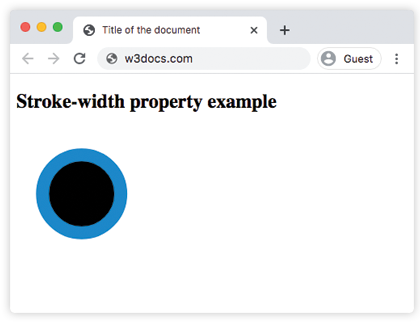
Example of the stroke-width property with the "length" value:
<!DOCTYPE html>
<html>
  <head>
    <title>Title of the document</title>
  </head>
  <body>
    <h2>Stroke-width property example</h2>
    <svg viewBox="0 0 30 10">
      <circle cx="5" cy="5" r="3" stroke="#1c87c9" stroke-width="3" />
    </svg>
  </body>
</html>Example of the stroke-width property with the "%" value:
<!DOCTYPE html>
<html>
  <head>
    <title>Title of the document</title>
  </head>
  <body>
    <h2>Stroke-width property example</h2>
    <svg viewBox="0 0 30 10">
      <circle cx="5" cy="5" r="3" stroke="#1c87c9" stroke-width="2%" />
    </svg>
  </body>
</html>Values
| Value | Description |
|---|---|
| length | Specifies the width of the stroke. |
| percentage | Specifies the width of the stroke in %. |
| initial | Makes the property use its default value. |
| inherit | Inherits the property from its parents element. |
Browser support

|

|

|

|

|
|---|---|---|---|---|
| ✓ | ✓ | ✓ | ✓ | ✓ |
Practice Your Knowledge
What does the CSS property 'stroke-width' do?

Correct!

Incorrect!
Quiz Time: Test Your Skills!
Ready to challenge what you've learned? Dive into our interactive quizzes for a deeper understanding and a fun way to reinforce your knowledge.