How to Make the Div Height to Auto-Adjust to the Background Size
It is possible to make the <div> to automatically adjust to the background size without setting a specific height or min-height. In our snippet, we’ll show how this can be done.
It is possible to make the <div> automatically adjust its height to match an image without setting a specific height or min-height. Note that the <img> element inside the <div> actually dictates the height, while the background image is applied for styling.
In this snippet, we’re going to show how to do this using a few steps.
Create HTML
- Use a
<div>element and place the<img>tag with the<span class="attribute">src</span>attribute inside.
How to Make the Div Height to Auto-Adjust to the Background Size
<div>
  <img src="https://images.unsplash.com/photo-1538367999111-0d6c7fb0299f?ixlib=rb-1.2.1&ixid=eyJhcHBfaWQiOjEyMDd9&auto=format&fit=crop&w=500&q=60" />
</div>Add CSS
- Set the background-image property with the URL of the image as its value for the
<div>element. - Set the background-repeat property of the
<div>element to “no-repeat” so as not to repeat the image. - Set the visibility property to “hidden” for the
<img>tag. This hides the image visually but keeps it in the document flow, allowing it to dictate the<div>height.
How to Make the Div Height to Auto-Adjust to the Background Size
div {
  background-image: url('https://images.unsplash.com/photo-1538367999111-0d6c7fb0299f?ixlib=rb-1.2.1&ixid=eyJhcHBfaWQiOjEyMDd9&auto=format&fit=crop&w=500&q=60');
  background-repeat: no-repeat;
}

img {
  visibility: hidden;
}Our full example looks like the following.
Example of making the <div> height to auto-adjust to the background size:
<!DOCTYPE html>
<html>
  <head>
    <title>Title of the document</title>
    <style>
      div {
        background-image: url('https://images.unsplash.com/photo-1538367999111-0d6c7fb0299f?ixlib=rb-1.2.1&ixid=eyJhcHBfaWQiOjEyMDd9&auto=format&fit=crop&w=500&q=60');
        background-repeat: no-repeat;
      }
      img {
        visibility: hidden;
      }
    </style>
  </head>
  <body>
    <div>
      <img src="https://images.unsplash.com/photo-1538367999111-0d6c7fb0299f?ixlib=rb-1.2.1&ixid=eyJhcHBfaWQiOjEyMDd9&auto=format&fit=crop&w=500&q=60" alt="Image" />
    </div>
  </body>
</html>Result
<div class="demo px-2.5 mt-1 mb-5 not-prose"> <div>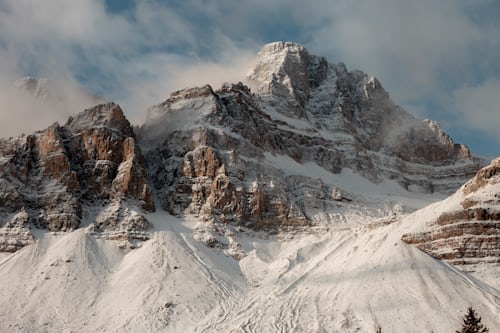
</div> </div>